
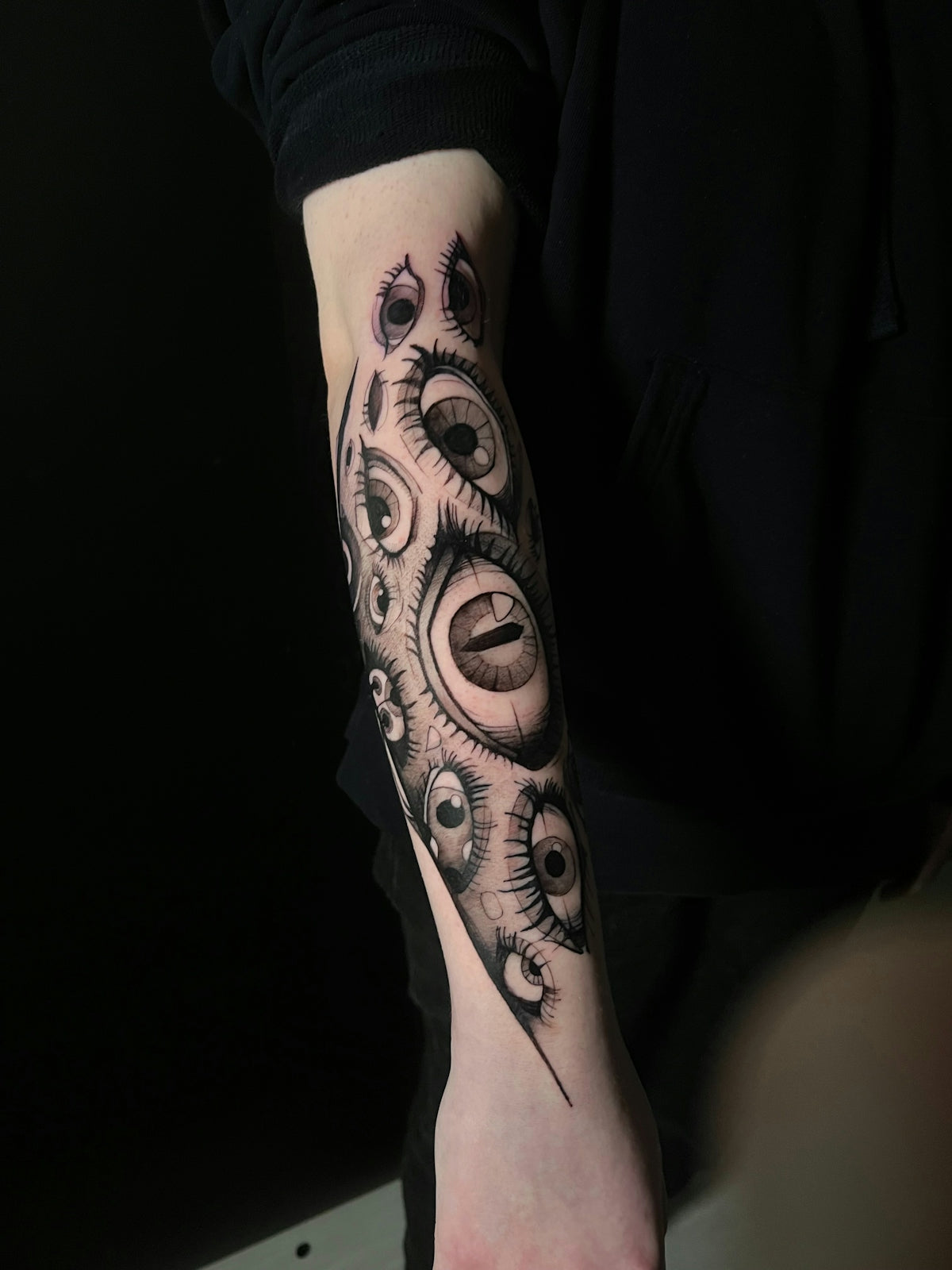
In the world of digital art, especially when it comes to digital tattoo design, mastering the right tools is essential for artists to elevate their work. Whether you're a seasoned professional or an aspiring artist exploring the avenues of digital tattooing, Procreate tattoo brushes offer an innovative way to craft stunning designs. With our expert advice, you'll be able to upgrade your art journey significantly. Ready to start designing tattoos the right way? Explore Procreate tools that make you feel like a pro.
Embrace the Power of Procreate Tattoo Brushes
Procreate is revered for its user-friendly interface and exceptional brush library, making it a preferred choice for tattoo artists looking to translate their art to digital platforms. One of the most important aspects of creating intricate tattoo designs is understanding the full range of Procreate tattoo brushes available at your fingertips.
Understanding Different Brush Types
- Linework Brushes: Clean lines form the backbone of any tattoo design. Look for brushes that offer precision and smooth strokes to establish the foundational elements of your piece.
- Shading Brushes: Effective shading is essential for bringing tattoos to life. For realistic tattoo shading in Procreate, consider brushes that provide a gradual blend of colors and that mimic traditional needle depth. Discover how to achieve depth with realistic tattoo shading for more nuanced designs.
- Detail Brushes: Attention to detail can set your work apart. Opt for fine-tipped brushes that allow you to add intricate elements and textures seamlessly.
- Fill Brushes: These are perfect for blocking in color efficiently without sacrificing detail. Choose ones that glide easily to fill larger areas swiftly.
Step-by-Step Guide to Using Procreate Tattoo Brushes
Step 1: Selecting the Right Brush
- Begin by exploring different brushes in the Procreate library. The key is to match your style with brushes that complement your workflow, providing versatility and professional results.
Step 2: Adjusting Brush Settings
- Procreate allows for extensive customization of each brush. Make fine adjustments in size, opacity, and flow to suit your individual project needs. Test various settings to gauge their impact on your artwork.
Step 3: Layer Management
- Organize your artwork by creating multiple layers. This enables more control over the design process and eases the shading and detailing phases. You'll find adjustments smoother and experimentation easier.
Step 4: Fine-Tuning & Detail Work
- Use detail brushes to go over the fine points of your tattoo design. Carefully refine lines and enhance shadows, making your art appear as polished as possible.
The Advantage of the PRO TATTOO KIT
For those looking to expedite their journey of mastering digital tattoos, the PRO TATTOO KIT from TattooBrushes.com is an absolute must-have. It provides unparalleled quality and craftsmanship that ensures precision and professional-grade output. Please remember, the right tools can tremendously improve your work quality, allowing you to focus on creativity and execution.
Digital Tattoo Design: Best Practices
Collaborate and Get Feedback
Engaging with other artists and seeking constructive feedback can offer new perspectives and insights. Online forums or community groups are great places to share work and gain useful tips relevant to digital tattoo design.
Importance of Stencil Preparation
Creating and preparing stencils digitally can save time and refine your methodology. Familiarize yourself with techniques to maximize design detail with the best stencils available, ensuring accurate translation from digital drawings to skin.
Continue Learning
Continuous learning is crucial. Stay updated on the latest digital techniques and tools by leveraging resources like the Must-Have Tattoo Artist Tools for Digital Design Success guide. Investing time in building skills will reflect in the quality of your artworks.
Conclusion: Upgrade Your Art with Confidence
By integrating Procreate tattoo brushes effectively into your workflow, you can achieve stunning, salon-ready designs. Leverage the expert tools and tips offered at TattooBrushes.com to enhance your techniques and create standout tattoos that transcend traditional limits. With practice and the right resources, such as the PRO TATTOO KIT, you'll see tangible improvements in your art. Ready to make a revolutionary shift in your tattoo creation process? Start designing your tattoos the right way with TattooBrushes.com.
Transform your artistic potential with these high-quality, professional tools that are designed to help you achieve incredible results. Embrace expert techniques and tools to redefine what you can achieve in digital tattoo design, and visit TattooBrushes.com to explore the resources that will help make your vision a reality.


Leave a comment
This site is protected by hCaptcha and the hCaptcha Privacy Policy and Terms of Service apply.