
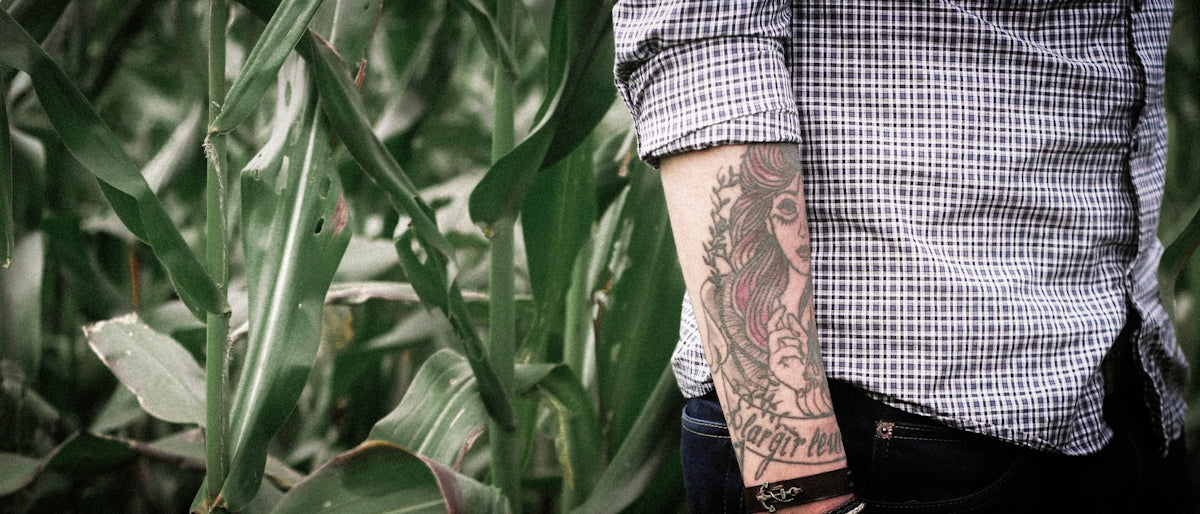
In the ever-evolving world of tattoo artistry, embracing digital tools has become a critical part of ensuring your art stands out. As an aspiring artist or a seasoned professional, understanding how to harness the power of Procreate tattoo brushes can transform your digital tattoo designs into masterpieces. Whether you are just starting out or looking to refine your craft, our expert guide will walk you through the essentials of using Procreate for tattoo design, focusing on realistic tattoo shading and the best tattoo stencils. For the ultimate leap in your artistic journey, explore Procreate tools that make you feel like a pro available at TattooBrushes.com.
The Power of Procreate Tattoo Brushes
Procreate has swiftly become a favorite tool for tattoo artists due to its extensive capabilities and user-friendly interface. The core of its strength lies in the diverse range of Procreate tattoo brushes designed specifically for digital tattoo design. These brushes emulate the look and feel of traditional tattoo needles and inks, allowing artists to experiment with texture, shading, and detailing in their designs.
Why Choose Procreate?
- Intuitive Interface: Procreate’s interface is clean and intuitive, making it accessible for beginners while being powerful enough to satisfy the needs of professional artists.
- Versatile Brush Library: With Procreate's vast brush library, including specialized tattoo brushes, artists can create intricate designs with ease.
- Seamless Workflow: The ability to continue working on your designs across different Apple devices ensures a seamless workflow.
Digital Tattoo Design Excellence
Digital tattoo design with Procreate goes beyond just sketching ideas. It’s about bringing to life the intricate details and achieving a level of realism that traditional sketching may limit. Essential Tools for Digital Tattoo Design in Procreate provides a comprehensive look into the essential tools needed to elevate your digital artistry.
Step-by-Step Guide for Beginners
- Start with Stencils: Using the best tattoo stencils in Procreate as a base for your designs is a great way to maintain symmetry and consistency in your work.
- Texture and Detail: Incorporating texture brushes can help replicate skin texture, offering a realistic preview of your design. Experimenting with these brushes can significantly enhance your artwork’s depth.
- Layering Techniques: Use layers to separate elements of your design. This technique makes it easier to edit specific parts without disturbing the overall composition.
Mastering Realistic Tattoo Shading in Procreate
Realistic tattoo shading can make or break your design. It requires an understanding of depth, light, and shadow. Achieve Realism: Tattoo Shading in Procreate Explained offers in-depth insights into how to perfect your tattoo shading techniques.
Techniques for Advanced Users
- Soft Shading with Gradient Tools: Utilize gradient tools to create smooth transitions between shades, a technique essential for realistic shading.
- Dynamic Brushes: Use dynamic brushes that react to pressure sensitivity for an authentic shading effect. These Procreate tattoo brushes can mimic real-life tattooing tools.
- Experiment with Opacity: Adjusting brush opacity allows for smoother blending, providing better control over the intensity of your shades.
Pro Tattoo Kit: Your Ultimate Artistic Companion
To truly unlock your potential in digital tattoo design, investing in high-quality tools is crucial. The PRO TATTOO KIT from TattooBrushes.com represents the pinnacle of tattoo artist tools in the digital space. It includes everything needed to create professional-standard digital tattoos, from detailed Procreate brushes to advanced shading techniques.
Why the PRO TATTOO KIT?
- Comprehensive Brush Selection: A curated collection of brushes designed for every aspect of tattoo design, from line work to shading.
- Developed by Artists, for Artists: Each tool is refined by professionals to ensure it meets the creative demands of tattoo artists.
- Enhanced Artistry Control: Tools that offer precision and flexibility, essential for both beginners and established artists.
Encouragement for Artists
Embarking on the journey of digital tattoo design with Procreate is more than just a shift in tools; it's a shift towards innovation and growth in your artistry. Whether you are exploring digital platforms for the first time or refining your skills, remember that practice and persistence are your greatest allies. As you continue to explore the vast capabilities of Procreate and its tattoo brushes, you will find your unique style and technique emerging.
For all aspiring artists and seasoned professionals looking to elevate their digital tattoo design, it's time to start designing tattoos the right way. Discover the ultimate tools and guidance at TattooBrushes.com, and unlock your full creative potential today.
Explore more and let your creativity soar!
Conclusion
Digital tattoo artistry is no longer the future—it is the present. By mastering Procreate tattoo brushes, implementing advanced shading techniques, and utilizing high-quality tools like the PRO TATTOO KIT, you can take your art to unprecedented heights. Remember, every step you take toward perfecting your craft brings you closer to being the artist you've always aspired to be. Explore Procreate tools that make you feel like a pro at TattooBrushes.com and start your journey to digital mastery today!

Leave a comment
This site is protected by hCaptcha and the hCaptcha Privacy Policy and Terms of Service apply.