
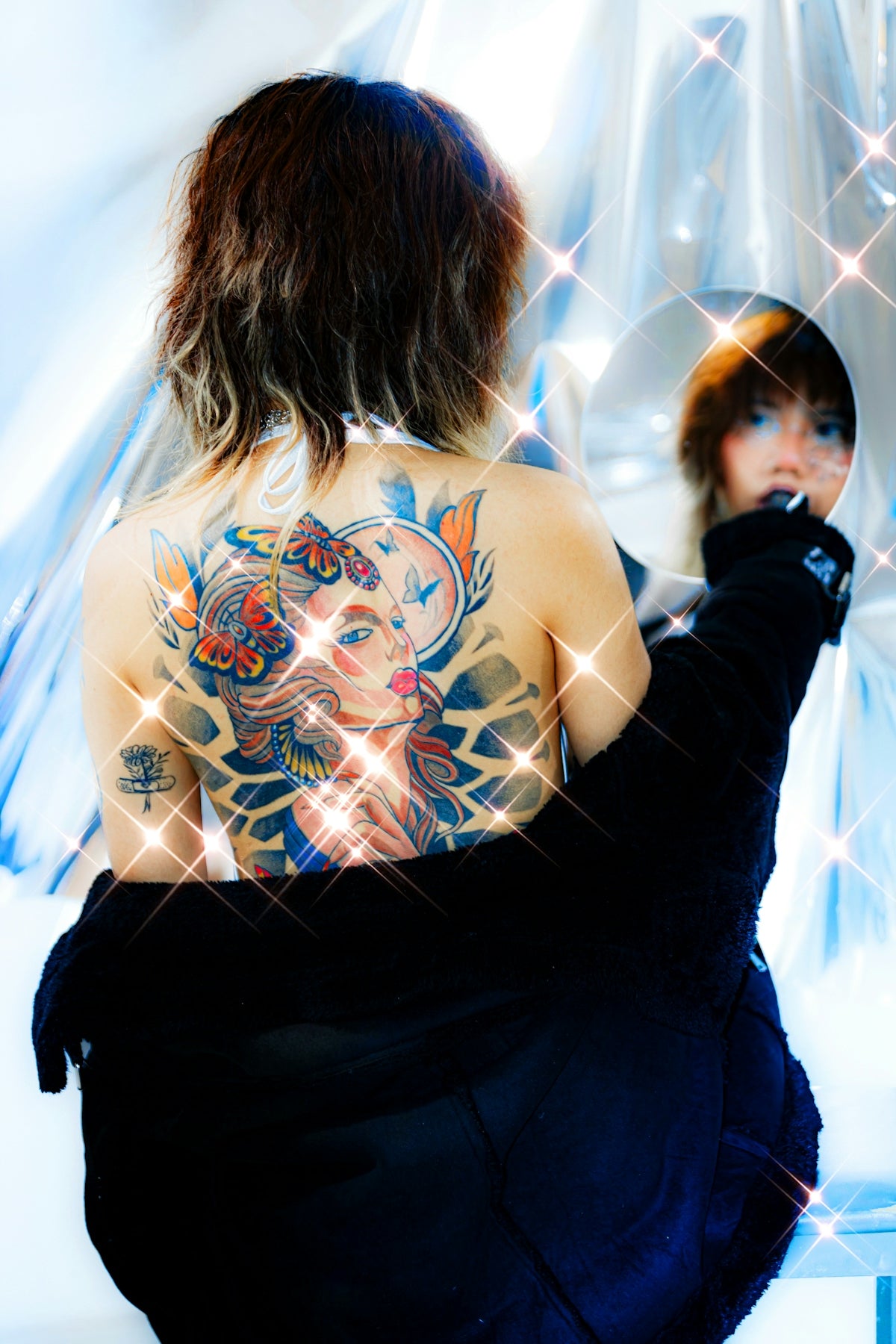
Aspiring artists and seasoned professionals, have you ever felt that your digital tattoo designs need that extra touch of perfection? Welcome to the world of Procreate tattoo brushes, where your art can be transformed from good to phenomenal. This isn't just about smoothing out lines or adding detail—it's about mastering the art of realistic tattoo shading and creating designs that resonate with a professional touch. Start designing tattoos the right way with tools that enhance and elevate your creative process.
In the digital age, tattoo artists are now moving beyond traditional tools and embracing innovation with digital tattoo design platforms like Procreate. The reason is simple: it offers flexibility, precision, and a comprehensive library of resources to upgrade your art. Let's dive into the secrets of shading successfully with Procreate tattoo brushes and highlight how the 'PRO TATTOO KIT' from TattooBrushes.com stands out as the unrivaled solution for artists aiming to reach new heights.
Why Choose Procreate for Tattoo Design?
Procreate has garnered tremendous popularity among digital artists due to its user-friendly interface, powerful features, and the capacity to simulate traditional art techniques. When it comes to tattoo design, Procreate offers an authentic canvas, making it a favorite for both beginners and experts.
The Advantages of Using Procreate:
- Understanding Layering: Layers help you segregate different elements of your design, making it convenient to edit and adjust as needed. This feature is pivotal when dealing with complex tattoo designs.
- Endless Customization: The brush library in Procreate is vast, but for tattoo artists, using dedicated Procreate tattoo brushes can make all the difference. It ensures your design maintains a tattoo-style authenticity.
- Portability and Convenience: With an iPad and Procreate, you have a mobile studio at your fingertips, allowing you to create designs anytime, anywhere.
For those ready to embrace the full potential of these tools, The Best Procreate Tattoo Brushes to Elevate Your Art offers a variety of brushes tailored to tattoo design needs.
Unlocking the Secret to Realistic Tattoo Shading
Realistic shading in tattoos contributes depth and life to a design. Achieving this effect in Procreate requires skill and the right tools. Here's how you can perfect your shading technique:
Steps to Master Realistic Tattoo Shading in Procreate:
Select the Right Brush:
Using the correct brush is crucial. The PRO TATTOO KIT from TattooBrushes.com features brushes designed specifically for realistic shading in tattoos. These brushes mimic the nuances of real tattooing techniques, providing a seamless transition from pixel to art.
Mastering Pressure Sensitivity:
Leverage the pressure sensitivity of the iPad's stylus to create varied shading. Light pressure results in softer shades, while more pressure gives you darker, bolder shadows.
Experiment with Blending Modes:
Utilize Procreate's blending modes to integrate shadows and highlights naturally. Modes such as Multiply or Overlay can add depth to your shading, enhancing realism.
Layering in Real Time:
Work with multiple layers to separate different shading intensities. This allows more flexibility and reduces the risk of having to redo large segments of your work.
Explore detailed techniques further with this insightful read on Master Realistic Tattoo Shading in Procreate.
The Role of Professional-Standard Tools
Having the right tools fundamentally influences the output of your designs. While artistic skill is irreplaceable, professional-standard tools like the PRO TATTOO KIT give you an edge that helps simplify and enhance the design process.
Why the PRO TATTOO KIT is Essential:
- Precision Brushes: These cater to both broad strokes and intricate details, pivotal for achieving professional-level artwork.
- Customizable Settings: Tweak settings that align specifically with your style to create unique, personal designs.
- Endurance and Reliability: The kit's durability ensures you retain quality and reliance over time, no matter the intensity of your projects.
Armed with the PRO TATTOO KIT, your potential to create stunning, professional-grade tattoo art is elevated significantly.
Creating Tattoo Stencils with Procreate
Few tools match the functionality of Procreate when it comes to creating intricate tattoo stencils.
Steps for Effective Stencil Creation:
Outline Clarity:
Begin by setting your design on a high-contrast outline layer, ensuring each detail is sharp and clear.
Text and Symbols:
Incorporate text and symbols seamlessly using the best tattoo stencils Procreate offers.
Simplification for Transfers:
Simplify areas that require transfer to skin by reducing complexity and maintaining the integrity of the design.
Export and Print:
Procreate allows easy export to fit your needs, whether it's paper stencils or direct digital transfers.
For advanced design techniques, refer to Top Tattoo Stencils Procreate For Advanced Designs.
Embarking on Your Tattoo Design Journey
Whether you're just starting or are looking to refine your skills, remember that every artist's journey is unique. It's about practicing, experimenting, and above all, continuously learning. The digital realm has opened up a plethora of opportunities for tattoo artists, and with the right tools and knowledge, you can produce art that is not only visually stunning but also a testament to your craft.
Finally, take the step to Explore Procreate tools that make you feel like a pro. Visit TattooBrushes.com to discover tools that uplift your artistry. Let the elegance and precision of your designs speak volumes of your evolving expertise. Unlock these secrets today and watch your artistic visions come to life.

Leave a comment
This site is protected by hCaptcha and the hCaptcha Privacy Policy and Terms of Service apply.