
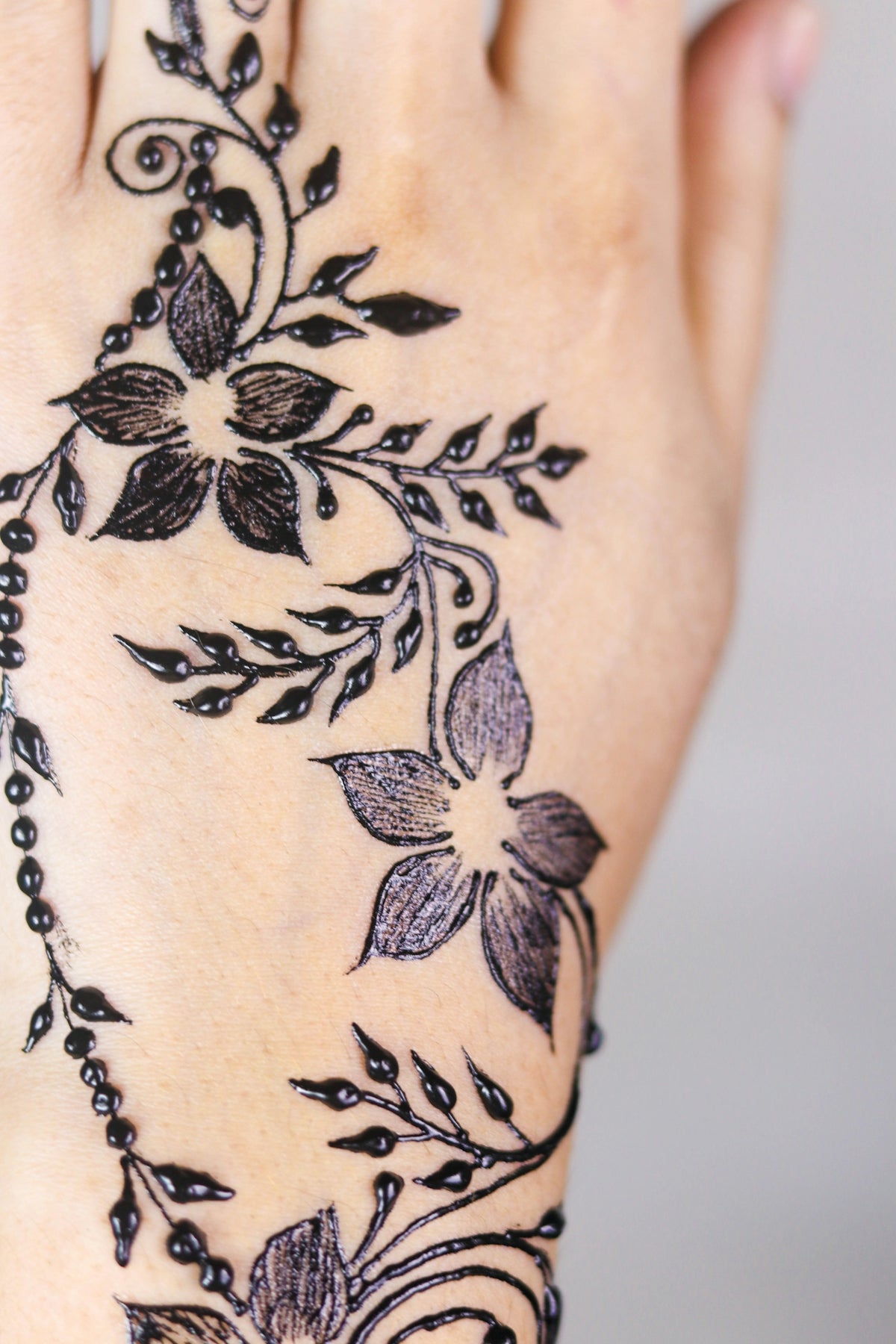
The art of tattooing requires dedication, skill, and the right tools—each essential in crafting an image that resonates on a deeper level. Whether you're an aspiring tattoo artist setting your sights on perfecting your craft, or a seasoned professional looking to refine your techniques, understanding the latest tattoo shading techniques is crucial. By leveraging the high-quality tools provided by TattooBrushes.com, you can take your artistry to the next level. Start designing tattoos the right way with our expert guidance.
Tattoo shading isn't just about filling in spaces between your line work; it's a vital component that brings depth, texture, and dimension to your designs. Mastery in shading not only enhances the overall aesthetic of your tattoos but also conveys emotion and intricacy that a simple outline cannot convey. Here, we explore cutting-edge tattoo shading techniques that can help elevate your artwork.
Explore the Basics: Understanding Tattoo Shading
Tattoo shading is a critical element in transitioning a tattoo from a basic line drawing into a vibrant, dynamic piece of art. There are several foundational techniques you'll want to become familiar with:
- Whip Shading: One of the most common techniques, whip shading, involves moving the needle in quick, light strokes to create subtle gradients. It's perfect for adding smooth transitions and soft textures.
- Pendulum Shading: This technique involves moving the needle like a pendulum to create consistent shading in small, controlled areas. It works well for detailed sections of a tattoo.
- Circular Shading: By moving the needle in small circles, you can achieve soft, blended shading. This method is particularly effective for larger areas requiring even distribution of ink.
Understanding these techniques and practicing them regularly can significantly improve your shading abilities. Using high-quality tools, like the PRO TATTOO KIT available at TattooBrushes.com, ensures precision and consistency in each stroke.
Mastering Procreate Linework
For digital artists, mastering linework in applications like Procreate is essential. Well-defined lines lay the groundwork for any shading you'll add later. If you're looking to perfect your linework, consider exploring our Procreate Tattoo Brushes: A Guide to Perfect Linework.
Procreate offers a range of tools and brushes that can simulate the feel of traditional tattoo needles, making it an invaluable application for both newcomers and veterans. Here’s a quick overview to enhance your digital linework:
- Pressure Sensitivity Adjustments: Customize the pressure curves to match your hand pressure, enabling smoother lines that emulate traditional tattoo guns.
- Brush Stabilization: Utilize stabilization settings to reduce shakiness and create even lines. It's an essential feature for intricate designs that demand precision.
- Layer Management: Use layers to separate different elements of your design. This provides flexibility to experiment with various shading techniques without affecting the original linework.
Arming yourself with professional-grade tools and digital guides will empower you to practice these techniques effectively and hone your craft.
Staying Ahead with Blackwork Tattoo Trends
Blackwork tattoos are a timeless trend, known for their high contrast and dramatic appeal. They involve using black ink exclusively, emphasizing strong lines and bold geometric shapes. To dive into the latest trends and techniques in blackwork, consider reading The Most Innovative Blackwork Tattoo Trends of 2025.
Techniques in Blackwork Shading
- Dotwork: A popular technique within blackwork, dotwork involves creating images or shading using tiny dots. While time-consuming, it results in richly textured designs.
- Negative Space: Utilizing skin as part of the design creates stunning visual contrasts and is a staple in modern blackwork trends.
- Brush Shading: Achieve softer looks within blackwork by using specialized brush shading techniques, well-suited for more complex images requiring depth and dimension.
Blackwork requires precision and a deep understanding of negative space and contrast—skills that can be significantly enhanced through consistent practice and utilizing pro-quality equipment like those offered by TattooBrushes.com.
Realistic Tattoo Texture Tutorial
Realism in tattoos demands attention to detail and accurate depiction of textures. This technique can transform tattoo art by creating lifelike representations that captivate the viewer. To embark on a journey of realistic texturing, consider these steps:
- Study the Subject: Whether it’s skin texture, fabric folds, or metallic reflections, understanding your subject’s intricacies will inform your shading process.
- Layered Approach: Build depth gradually, starting from the darkest areas and moving to lighter tones. Use varying needle sizes to capture fine details.
- Blend Colors Smoothly: Follow a smooth blending technique to transition flawlessly between colors, creating natural gradients.
For digital designs, Procreate brushes are exceptional tools for practicing and perfecting these techniques. Leverage the resources at Digital Flash Art Ideas Using Procreate Tattoo Brushes for more insights.
Elevate Your Art Today
Embarking on the journey to master these advanced tattoo shading techniques will undoubtedly refine your skillset and enhance your creative output. Whether you're working with physical tools or digital brushes, the quality of your equipment can make a world of difference. TattooBrushes.com is home to a range of tools that promise professional quality and unmatched precision.
Explore Procreate tools that make you feel like a pro and see the difference in your work today. Empower yourself with the resources that will help you 'Upgrade your Art' and see your tattoo designs come to life like never before.
By incorporating these practices, you are well on your way to achieving mastery and producing tattoos that are not just images, but powerful statements of art and creativity.

Leave a comment
This site is protected by hCaptcha and the hCaptcha Privacy Policy and Terms of Service apply.