
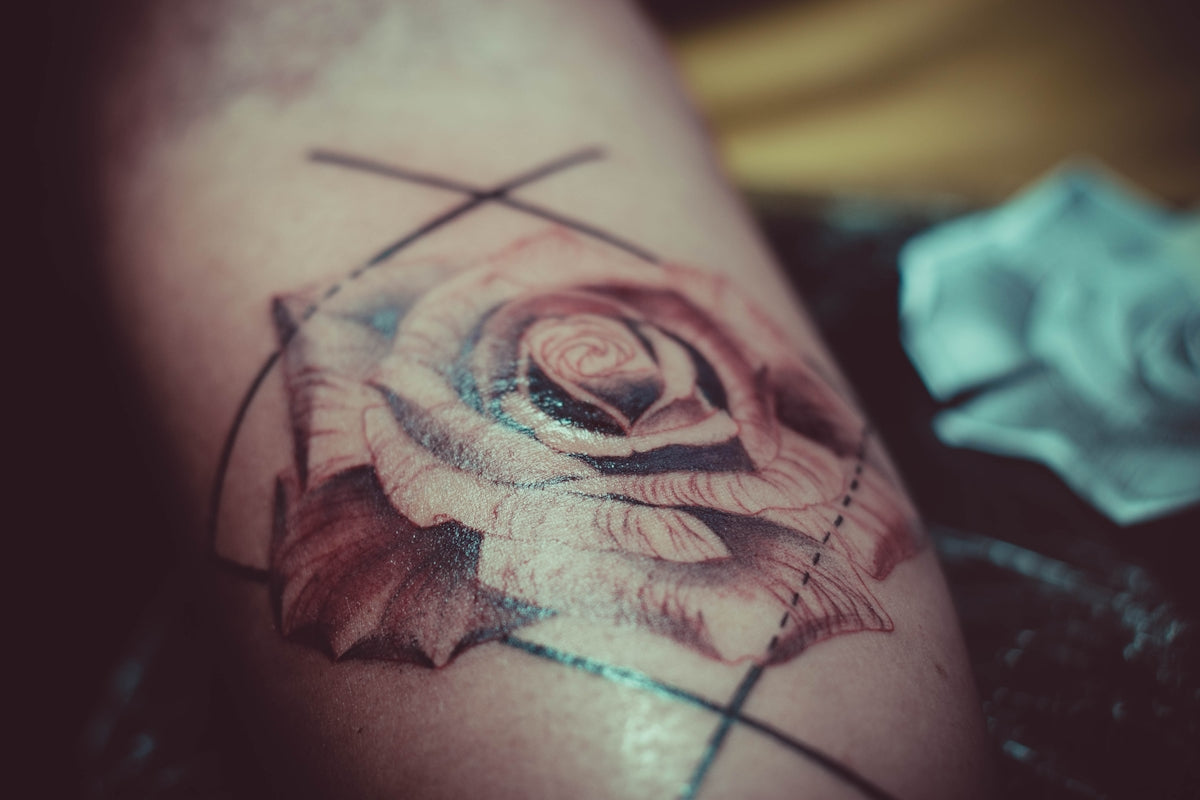
If you're an aspiring artist looking to take the leap into digital tattoo design, or a seasoned professional aiming to refine your skills, you're in the right place. The dynamic world of Procreate tattoo brushes can enhance your creative process, offering a diverse array of options for intricate artwork. Start designing tattoos the right way by equipping yourself with high-quality tools, like the PRO TATTOO KIT from TattooBrushes.com, ensuring your designs stand out with professional precision and flair.
Table of Contents
- Table of Contents
- Why Procreate?
- The Importance of Procreate Tattoo Brushes
- 1. Enhancing Digital Tattoo Design
- 2. Perfecting Your Tattoo Stencils
- 3. Mastering Realistic Tattoo Shading
- Selecting the Best Brushes for Your Needs
- Tattoo Stencil Brushes
- Intricate Detail Brushes
- Shading Mastery Brushes
- Techniques for Using Procreate Brushes
- Layer Management
- Pressure Sensitivity Adjustments
- Customizing Brush Settings
- Conclusion
- FAQs
Why Procreate?
Procreate has become a game-changer in the art community for its flexibility, efficiency, and intuitive interface. Whether you are sketching on the go or crafting elaborate designs, Procreate provides the perfect platform for digital tattoo design. But to truly excel, quality brushes tailored to your specific needs are essential. This post will guide you through selecting the best tools available to master fine details, shading, and stencil creation.
The Importance of Procreate Tattoo Brushes
1. Enhancing Digital Tattoo Design
The unique style and precision required in tattoo artistry can be easily translated to digital format using specialized Procreate tattoo brushes. These tools replicate the texture and flow of traditional tattoo needles, paving the way for authenticity in digital sketches. With top-tier brushes at your disposal, your craft ascends to new levels, offering you the control and finesse necessary for outstanding work.
Explore Procreate tools that make you feel like a pro. The PRO TATTOO KIT offers an extensive range of brushes for every conceivable design style, each meticulously crafted to meet professional standards. Explore it here.
2. Perfecting Your Tattoo Stencils
Designing stencils is a crucial step in tattooing that allows artists to transfer digital designs to skin seamlessly. Fortunately, with the right brushes, you can now create perfect stencils digitally. Dive deeper into this technique with the comprehensive guide on achieving perfect tattoo stencils with Procreate available here.
3. Mastering Realistic Tattoo Shading
Shading is vital in imparting depth and realism to tattoos. Mastering shading digitally requires an adept understanding of brushstroke techniques and the right set of Procreate tattoo brushes. Gain insights into mastering shading with essential brushes in the specialized article here.
Selecting the Best Brushes for Your Needs
Tattoo Stencil Brushes
The backbone of any tattoo design lies in accurate stenciling. The best tattoo stencils Procreate offers are crafted with precision tools from TattooBrushes. Look for brushes that deliver clean, smooth lines essential for creating reliable guides.
Intricate Detail Brushes
For meticulous designs, having intricate detail brushes is non-negotiable. These allow for the personalization and refinement of elements, from delicate lines to elaborate meshwork.
Shading Mastery Brushes
When it comes to shading, quality matters significantly. Brushes that simulate soft shading gradients will give your designs an extraordinary finish. Prioritize those that provide a wide spectrum of tones and shading variations.
Techniques for Using Procreate Brushes
Layer Management
Effective layer management can simplify your workflow. Different layers mean different components of your design can be altered independently without jeopardizing the entire piece. This is especially helpful with detailed designs requiring intricate color shading.
Pressure Sensitivity Adjustments
Leveraging pressure sensitivity with Procreate brushes enhances realism in designs. By varying your hand pressure, the line weight can dynamically change, mimicking authentic tattoo features. Adjust brush settings to suit your unique handling for a more personalized outcome.
Customizing Brush Settings
Procreate offers an impressive range of customization options for each brush. Tailor attributes like opacity, jitter, and grain to suit your creative objectives. Don’t hesitate to experiment to find your groove.
Conclusion
In the evolving canvas of digital art, Procreate tattoo brushes have carved a niche, empowering artists with tools that bridge creativity and technology. With the right brushes, your designs not only capture attention but resonate through their finesse and attention to detail.
For those committed to elevating their craftsmanship, embracing the best tools is a necessary step forward. The PRO TATTOO KIT from TattooBrushes.com sets the benchmark high for quality and versatility, promising enhancements that bring out the best in every artist's toolkit.
Explore Procreate tools that make you feel like a pro and transform your creative journey starting today. Refine your skills, select superior tools, and let your artistry shine.
For a deeper dive into the tools and guides available, visit TattooBrushes.com.
FAQs
What are Procreate tattoo brushes?
Procreate tattoo brushes are specially designed digital brushes within the Procreate app that mimic traditional tattooing tools and techniques. They enable artists to create intricate designs, textures, and shading that resemble real-life tattoos.
Why should I use Procreate for tattoo design?
Procreate offers a versatile platform for tattoo artists, combining ease of use with powerful features. Its intuitive interface, extensive brush library, and customizable settings allow artists to create detailed designs quickly and efficiently.
How do I install Procreate brushes?
To install Procreate brushes, download the brush file (usually in .brush or .brushset format) to your device. Open Procreate, go to the Brush Library, tap on the "+" icon, and select "Import." Locate your downloaded brush file, and it will be added to your library for use.
What are some recommended characteristics of a good tattoo brush?
A good tattoo brush should provide a realistic ink flow, pressure sensitivity, and a variety of textures. Brushes that allow for smooth shading, clean line work, and the ability to adjust opacity and size will enhance your tattoo design process.
Can I customize my tattoo brushes in Procreate?
Yes, Procreate allows you to customize brushes to fit your specific design needs. You can adjust settings like opacity, flow, size, and texture effects, or create your own brushes from scratch to develop a style that matches your artistic vision.
Are there specific brushes for different tattoo styles?
Absolutely! Many Procreate brush packs are tailored for specific tattoo styles, such as traditional, watercolor, or dot work. By using style-specific brushes, you can better replicate the textures and techniques associated with each type of tattoo.
Is it possible to use Procreate brushes for traditional tattooing?
While Procreate brushes are designed for digital art, the techniques and elements you develop using them can certainly inform your traditional tattooing practice. Many artists use digital designs as a blueprint for their skin work.
How can I find the best brushes for intricate designs?
Look for brush sets that specialize in detail-oriented work, such as fine liner brushes, stippling brushes, or those that emulate specific textures. Online reviews, artist recommendations, and user demonstrations can also guide you in selecting the best brushes for intricate designs.
Can I share my custom brushes with other artists?
Yes, you can share your custom brushes with other Procreate users easily. Export the brush file and share it through email or file sharing platforms, allowing other artists to benefit from your unique creations and techniques.


Leave a comment
This site is protected by hCaptcha and the hCaptcha Privacy Policy and Terms of Service apply.