
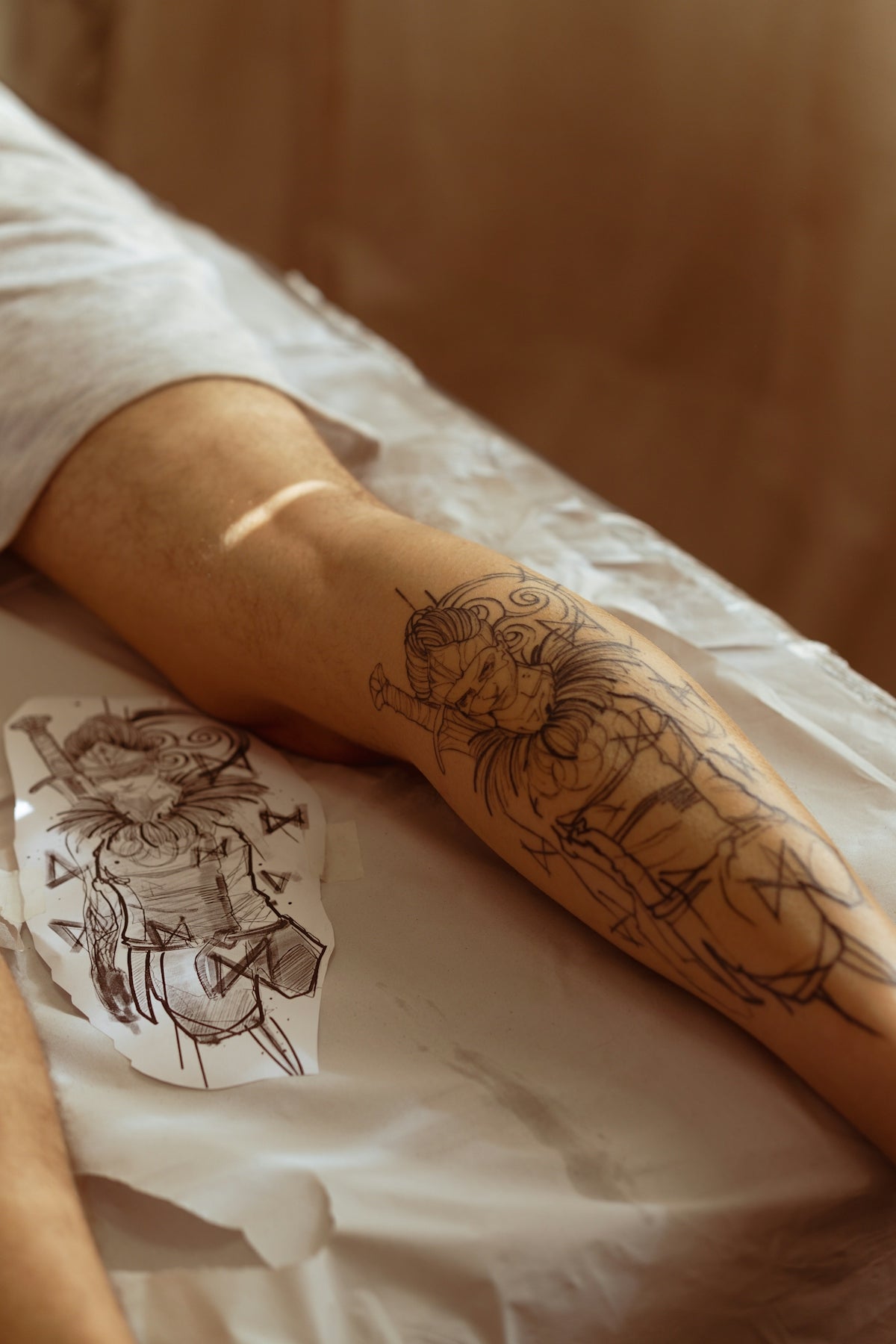
When it comes to digital tattoo design, utilizing the right tools can make all the difference. Whether you're a budding tattoo artist or a well-established professional looking to upgrade your craft, Procreate offers a versatile platform for creating stunning, realistic designs. At the heart of this is the power of tattoo stencils, a fundamental component in crafting precise and consistent designs. Discover the potential of your creativity and start designing tattoos the right way by exploring the Pro Tattoo Kit offered by TattooBrushes.com, your gateway to the pinnacle of tattoo artistry.
Table of Contents
- Table of Contents
- Why Choose Procreate for Tattoo Stencils?
- A Foundation of Fundamentals
- The Best Tattoo Stencils in Procreate: A Breakdown
- 1. Diversity of Design
- 2. Realistic Tattoo Shading Techniques
- 3. Ease of Use and Flexibility
- Building Your Skill Set with Procreate
- Step-by-Step Guide to Using Tattoo Stencils in Procreate
- Setup Your Workspace:
- Choose Your Stencil:
- Trace and Modify:
- Refinement:
- Finalize and Export:
- Tools to Elevate Your Artistry
- Conclusion
- FAQs
Why Choose Procreate for Tattoo Stencils?
Procreate is becoming the go-to app for tattoo artists for several reasons. Its comprehensive suite of tools, combined with an intuitive interface, allows artists to recreate the experience of tattooing digitally. With the advent of Procreate tattoo brushes, artists can now capture intricate details and realistic textures that emulate real-life tattooing. This app empowers artists to experiment freely, make alterations seamlessly, and perfect their technique with every stencil.
A Foundation of Fundamentals
Before diving into complex designs, mastering the basics of digital tattoo design is crucial. Stencils serve as the foundation for creating intricate tattoos. They are the blueprints that ensure precision and uniformity. By using stencils in Procreate, artists can ensure accuracy and maintain consistency in their designs, essential for both practicing on digital canvases and applying designs to skin.
The Best Tattoo Stencils in Procreate: A Breakdown
Selecting the best tattoo stencils in Procreate involves understanding their unique attributes and how they can be leveraged to elevate your art. Below is a detailed exploration of elements to consider when choosing your tools:
1. Diversity of Design
Diversity is key when selecting stencil packs. Look for stencils that offer a variety of designs - from intricate mandalas to bold tribal patterns. This diversity ensures that you're prepared for any client request or creative impulse. TattooBrushes.com's Pro Tattoo Kit provides an extensive range of high-quality stencils suitable for all styles.
2. Realistic Tattoo Shading Techniques
Achieving realistic shading is a hallmark of professional-grade tattoos. Utilizing stencils that facilitate shading can help bring your designs to life. Articles like Master Realistic Tattoo Shading Techniques with Procreate Tattoo Brushes offer insights into creating depth and dimension, using specialized brushes designed specifically for shading.
3. Ease of Use and Flexibility
For both beginners and veterans, ease of use cannot be understated. Opt for stencil packs that are straightforward to implement within the Procreate ecosystem. High-quality stencil kits, such as the ones available in the Pro Tattoo Kit, are optimized for user-friendly functionality, making them an indispensable tool in your digital toolkit.
Building Your Skill Set with Procreate
Step-by-Step Guide to Using Tattoo Stencils in Procreate
Setup Your Workspace:
Start by setting up a new file in Procreate. Ensure your canvas size and resolution are appropriate for your design's end usage.
Choose Your Stencil:
Select a stencil that aligns with your design concept. Load the stencil onto a new layer so you can manipulate it without affecting your canvas.
Trace and Modify:
Use digital Procreate tattoo brushes to trace the stencil. Experiment with realistic tattoo shading techniques to add depth. This is where your artistic flair can really shine.
Refinement:
As you gain confidence, refine your techniques. Adjust elements such as opacity, brush thickness, and texture to achieve a polished final product.
Finalize and Export:
Once satisfied, save your design for client approval or personal portfolio use.
Tools to Elevate Your Artistry
Staying up-to-date with the latest tools can significantly enhance your digital tattoo work. Leveraging industry-proven resources such as those offered in TattooBrushes.com's Pro Tattoo Kit provides a professional standard that is invaluable for career growth.
To dive deeper into the world of Procreate tattoo brushes and refine your artistry skills, check out the article The Essential Procreate Tattoo Brushes for Achieving Fine Details. These resources ensure that you're not just confined to stencils but can explore varied techniques and styles.
Conclusion
The journey to mastering digital tattoo design with Procreate stencils is both exciting and rewarding. Whether you are perfecting your skill set or exploring tattoo design for the first time, utilizing the best tools available will drastically enhance your creative output. Start paving your path to success and explore Procreate tools that make you feel like a pro.
Invest in quality to craft tattoos that speak to your vision and artistry. The tools you use today are the stepping stones to your creative future. Engage with TattooBrushes.com and let us support you in bringing your tattoo designs to life with professionalism and flair.
FAQs
What are tattoo stencils in Procreate?
Tattoo stencils in Procreate are digital templates that artists use to create designs in a way that mimics the traditional stenciling process. These stencils help streamline the tattoo design process by providing a base outline that can be customized and refined.
How can I create my own tattoo stencils in Procreate?
Creating your own tattoo stencils in Procreate involves using the brush tools and layers. You can start by sketching your design on a new layer, then refine it by cleaning up lines and adding details. Once you’re satisfied, you can save your design as a stencil for future use.
What are the benefits of using digital stencils over traditional ones?
Using digital stencils offers several advantages, including the ability to easily edit your designs, adjust sizes and proportions, and experiment with colors. It also eliminates the need for physical materials, making it an efficient and environmentally friendly option.
Can I modify existing stencils in Procreate?
Yes, you can modify existing stencils in Procreate. Import the stencil you want to use, place it on a new layer, and then use various tools like the selection tool, eraser, and brushes to adjust the design to your liking.
What tools in Procreate are best for creating tattoo stencils?
Some of the best tools for creating tattoo stencils in Procreate include the brush tool for line work, the smudge tool for blending, and the selection tool for resizing and repositioning elements. Layer functionality is crucial for managing different components of your design efficiently.
Are there specific brush settings recommended for tattoo stencils?
For creating tattoo stencils, it’s ideal to use a brush with a clean, solid line. Many artists prefer a hard brush with minimal opacity to maintain the sharpness of the stencil edges. Adjusting the brush size and streamline settings can also help achieve smoother lines.
What file formats are best for saving tattoo stencils in Procreate?
The best file formats for saving tattoo stencils in Procreate include Procreate’s native file (.procreate) for keeping all layers intact and PNG for a transparent background. These formats allow for easy access and manipulation of your designs in the future.
How do I ensure my tattoo stencil is print-ready?
To ensure your tattoo stencil is print-ready, make sure your canvas is set to the appropriate size and resolution (at least 300 DPI). Check for any unwanted background layers, and export your stencil design in a suitable file format like PNG or PSD.
Can I use pre-made stencil kits in Procreate?
Absolutely! There are various pre-made stencil kits available for Procreate that artists can use. These kits often come with a range of designs and may include elements like line art, patterns, and motifs, giving you a solid starting point for your tattoo projects.

Leave a comment
This site is protected by hCaptcha and the hCaptcha Privacy Policy and Terms of Service apply.