
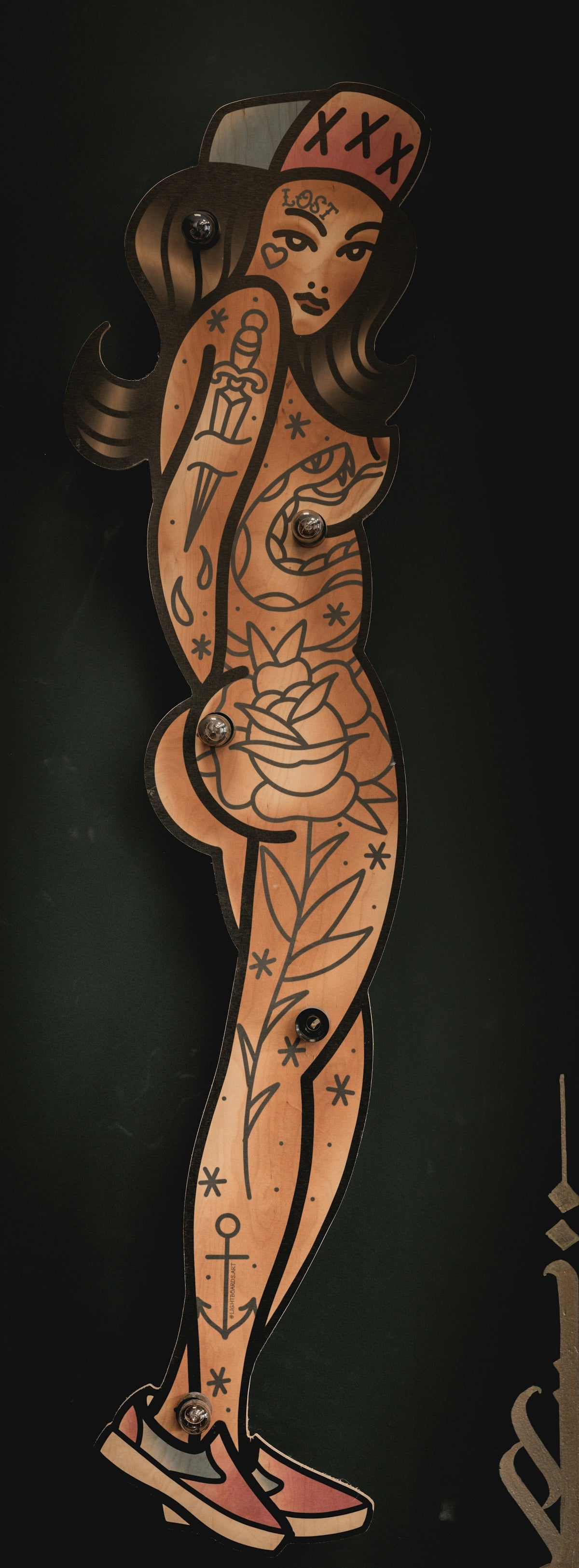
In the ever-evolving realm of digital art, Procreate tattoo brushes have emerged as powerful tools revolutionizing how tattoos are designed. Whether you're an aspiring artist or a seasoned professional, these innovative brushes can elevate your creative potential to new heights. Ready to upgrade your art? Explore Procreate tools that make you feel like a pro.
Table of Contents
- Table of Contents
- The Rise of Digital Tattoo Design
- Why Choose Procreate for Tattoo Design?
- Key Features of Procreate for Tattoo Artists:
- Understanding Procreate Tattoo Brushes
- Realistic Tattoo Shading with Procreate Brushes
- Essential Procreate Tattoo Brushes for Beginners and Experts
- Incorporating Tattoo Artist Tools in Designs
- Step-by-Step Guide to Upgrade Your Art with Procreate Tattoo Brushes
- Step 1: Setting Up Your Workspace
- Step 2: Choosing the Right Brushes
- Step 3: Layering Techniques
- Step 4: Fine-Tuning the Details
- Step 5: Reviewing and Exporting
- Conclusion
- FAQs
The Rise of Digital Tattoo Design
Digital tattoo design is more than just a trend; it is a transformation that has swept across the art world. With the advent of advanced digital tools, artists are discovering new ways to express creativity and precision in their work. This evolution is being led by the unparalleled capabilities of Procreate tattoo brushes, which are specifically crafted to mimic the varied styles and techniques of traditional tattooing.
Why Choose Procreate for Tattoo Design?
Procreate is not just another digital art application; it is a comprehensive suite of tools that respond to the needs of modern tattoo artists. With its intuitive interface and powerful set of features, Procreate allows you to experiment with design without the traditional limitations. Once equipped with the best tattoo stencils Procreate offers, you can unleash your creativity and refine your skills to create professional-grade designs.
Key Features of Procreate for Tattoo Artists:
- Realistic Brush Dynamics: Experience authentic brush feel and control.
- Layering and Masking: Manage your compositions with ease.
- Infinite Color Options: Perfect your palette for every skin tone.
- Customization: Tailor brushes to your personal style.
Understanding Procreate Tattoo Brushes
What sets Procreate apart is its treasure trove of customizable brushes that simulate real tattoo tools. From fine lines to complex shading, Procreate tattoo brushes cover a wide array of textures and finishes.
Realistic Tattoo Shading with Procreate Brushes
Shading can make or break a tattoo's realism. With the help of Procreate's high-quality brushes, artists can achieve unparalleled depth and dimension in their work. For those interested in mastering realistic tattoo shading Procreate has to offer, the array of soft, medium, and hard shaders available ensure a gradient style perfect for any design.
Essential Procreate Tattoo Brushes for Beginners and Experts
With digital tattoo design, a powerful brush toolkit is essential. Essential Procreate Tattoo Brushes for Stunning Design provide the ability to create intricate details and bold outlines, enhancing both the sketching and inking process. Even for professionals, these versatile tools help streamline and refine design elements effortlessly.
Incorporating Tattoo Artist Tools in Designs
The digital landscape allows for an unprecedented blend of traditional and modern technique, stretching what’s possible in tattoo artistry. Incorporating tattoo artist tools, such as the high-standard 'PRO TATTOO KIT' from TattooBrushes.com, into your workflow enables transformative results. Here’s how:
- Precision Tools: Design tattoo lines with remarkable accuracy.
- Brush Versatility: Use various brush types for different tattoo components.
- Texture Variety: Replicate the feel of natural surfaces in digital form.
Step-by-Step Guide to Upgrade Your Art with Procreate Tattoo Brushes
Step 1: Setting Up Your Workspace
Start by creating your ideal workspace within Procreate. Ensuring that your canvas size and resolution meet the requirements for printing later on is critical.
Step 2: Choosing the Right Brushes
Select brushes that fit your specific stylistic needs. Whether you want crisp outlines or soft shading, make sure to test different brush dynamics.
Step 3: Layering Techniques
Harness the power of layers by separating outlines, color fills, and shading. This not only offers more control but also safeguards against mistakes.
Step 4: Fine-Tuning the Details
Utilize the precision and depth of Procreate tattoo brushes for artists to add expressive details and textures that make your design pop.
Step 5: Reviewing and Exporting
Once satisfied with your design, review every detail and export your high-resolution image to share with clients or begin the tattoo application process.
Conclusion
The move to digital design using Procreate tattoo brushes opens a world of creativity pushing beyond traditional limits. The tools and techniques available to both beginners and expert artists enable unprecedented levels of detail, precision, and realism in tattoo art. Ready to transform your creative process? Start designing tattoos the right way and see how Procreate tools can truly empower your artistic journey.
By integrating these innovative tools into your practice, you position yourself at the forefront of digital tattoo design, ready to capture any concept with skill and artistry. Visit TattooBrushes.com to explore more about these transformative tools.
FAQs
What are Procreate tattoo brushes?
Procreate tattoo brushes are specially designed digital brushes that simulate traditional tattooing techniques and styles within the Procreate app. They offer artists a variety of effects, textures, and precision to create intricate tattoo designs.
How do Procreate tattoo brushes differ from standard brushes?
Procreate tattoo brushes are tailored to mimic the characteristics of ink, shading, and line work found in traditional tattoos. They often include unique features like pressure sensitivity and customizable settings that enhance the tattooing experience, setting them apart from standard Procreate brushes.
Can I create realistic tattoo designs with Procreate tattoo brushes?
Yes, Procreate tattoo brushes allow artists to produce highly detailed and realistic tattoo designs. The varied textures and effects available with these brushes enable artists to recreate the nuances of real tattoo work, such as gradients and shading.
Are there specific types of Procreate tattoo brushes recommended for beginners?
Beginners can benefit from using basic line work and shading brushes, which provide a solid foundation for practicing tattoo design. Many brush sets include simple, user-friendly options that accommodate novices while still yielding striking results.
Can I customize Procreate tattoo brushes?
Absolutely! Procreate allows users to customize brushes, enabling artists to adjust features like size, opacity, and flow. You can create a brush that fits your unique style and personal preferences for tattoo design.
Do I need a special device to use Procreate and its tattoo brushes?
To use Procreate, you’ll need an iPad compatible with the app. A stylus, such as the Apple Pencil, is highly recommended for optimal precision and control when using tattoo brushes.
Can I sell my designs created with Procreate tattoo brushes?
Yes, you can sell your designs! However, it's essential to ensure that you have commercial rights to any brushes you use, so it's a good idea to check the licensing agreements provided by the brush creator.
What are the benefits of using digital tattoo designs for clients?
Digital tattoo designs offer flexibility and the ability to easily make changes or adjustments based on client feedback. They also allow for a faster review process, ensuring clients are happy with their design before it's inked onto skin.
Are there resources available to learn how to use Procreate tattoo brushes effectively?
Yes, there are numerous online tutorials, courses, and communities dedicated to teaching artists how to use Procreate and its various brushes, including tattoo brushes. These resources can greatly enhance your skills and understanding of digital tattoo design.

Leave a comment
This site is protected by hCaptcha and the hCaptcha Privacy Policy and Terms of Service apply.