
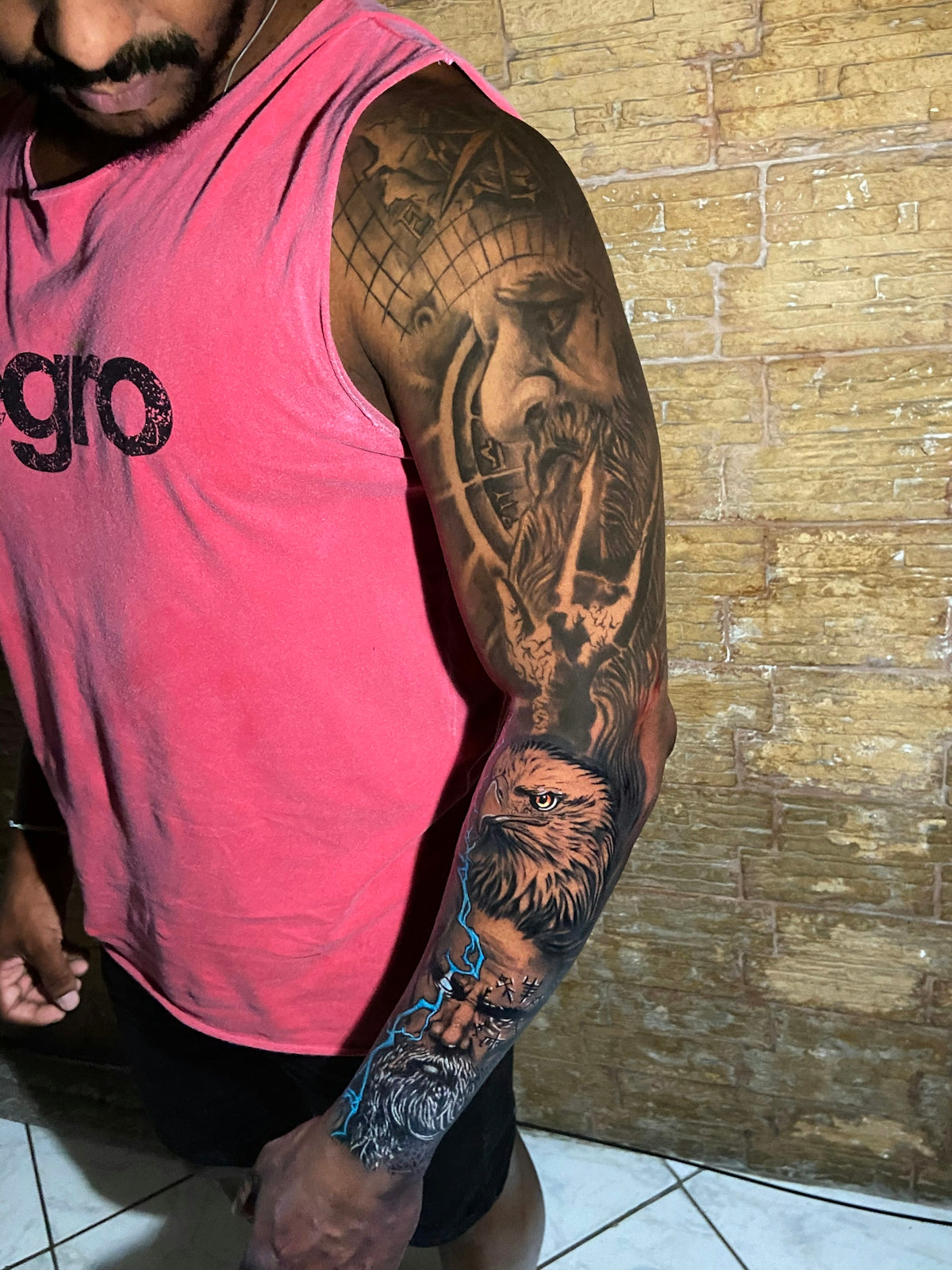
Creating stunning digital tattoo designs can be both rewarding and challenging. Whether you're a budding artist or a seasoned professional, precision and depth are essential elements that can bring your artwork to life. With Procreate tattoo brushes, your path to creating digital tattoo designs that resonate with realism becomes significantly smoother. Discover how to start designing tattoos the right way with tools that promise to elevate your art to a professional standard here.
Table of Contents
- Table of Contents
- Why Choose Procreate for Tattoo Design?
- The Art of Digital Tattoo Design
- Essential Procreate Tattoo Brushes
- Exploring Tattoo Stencils in Procreate
- Developing Realistic Tattoo Shading in Procreate
- Step-By-Step Guide to Using Procreate Brushes
- Tips and Tricks for Artists
- Conclusion
- FAQs
Why Choose Procreate for Tattoo Design?
Procreate has quickly become a go-to app for digital artists worldwide. Its versatile features, intuitive interface, and endless capabilities for customization make it a favorite, particularly for tattoo artists looking to create detailed and compelling tattoo designs. By using the right Procreate tattoo brushes, artists can push their work to new heights, achieving professional results that were once thought possible only with traditional tools.
The Art of Digital Tattoo Design
Digital tattoo design requires the right mix of creativity and technical skill. With Procreate, artists are equipped with a comprehensive suite of tools that allow them to explore and expand their artistic capabilities. A standout feature is the variety of brushes specifically designed for tattoo art. These brushes help capture the intricacies of tattoos, from bold lines to subtle shadings.
Essential Procreate Tattoo Brushes
When it comes to creating tattoos, not all brushes are created equal. The PRO TATTOO KIT available at TattooBrushes.com promises a collection of brushes that can truly elevate your craftsmanship. Designed with input from professional tattoo artists, this kit ensures that your transitions are seamless, and your lines and shading are impeccable.
For more insights into choosing the right brushes, make sure to explore our selection guide.
Exploring Tattoo Stencils in Procreate
Stencils are integral to both physical and digital tattoo creation. Without a well-formed stencil, it can be difficult to translate ideas into coherent works of art. With Procreate, and the best tattoo stencils Procreate has to offer, artists can design and perfect their stencils with ease. Learn how to master this crucial step with our comprehensive guide on Mastering Tattoo Stencils in Procreate.
Developing Realistic Tattoo Shading in Procreate
Realistic shading is the backbone of convincingly detailed tattoo art. Procreate provides a realistic tattoo shading Procreate experience with brushes that replicate the natural depth and texture of a tattooed surface. Achieving this look digitally requires understanding the nuances of light and shadow—a detail covered extensively in our article on Advanced Techniques for Realistic Shading in Procreate.
Step-By-Step Guide to Using Procreate Brushes
To get you started, here is a straightforward guide on how to make the most of your Procreate tattoo brushes:
- Setup Your Canvas: Begin by setting your canvas size and resolution to match the detail required for the tattoos you plan to create.
- Organize Your Toolkit: Make sure your toolkit includes the PRO TATTOO KIT to have all necessary brushes at your disposal.
- Draft the Design: Use sketching brushes to draft initial designs. Lay down the basic shape and outline before moving to detailed work.
- Apply Bold Lines: Utilize fine lining brushes to create bold, precise outlines that form the backbone of your design.
- Add Details: Switch to detailed and texture brushes for smaller aspects and intricate features.
- Shade with Precision: Use shading brushes to add depth through varying pressure and brush opacity.
- Refine As Needed: Continuously zoom in to perfect lines and shading. Use Procreate's layer functionality to segregate design elements for enhanced control.
Tips and Tricks for Artists
- Stay Updated: The digital art landscape is continuously evolving. New brushes and techniques are always emerging, so keep learning and adapting.
- Experiment Freely: Don’t hesitate to experiment with different brushes and compositions. Procreate's non-destructive workflow means you can try new things without fear.
- Join the Community: Engage with other artists to exchange knowledge, inspiration, and feedback.
Conclusion
Upgrading your art is a journey of constant learning and experimentation. By incorporating the right tools, such as Procreate tattoo brushes, and leveraging expert resources, artists can create works of extraordinary precision and depth. Visit TattooBrushes.com to explore Procreate tools that make you feel like a pro and continue to push the boundaries of your digital designs.
FAQs
What are Procreate tattoo brushes?
Procreate tattoo brushes are specialized digital brushes that mimic traditional tattooing tools and techniques, designed for use with the Procreate app on iPad. They enable artists to create detailed and realistic tattoo designs directly on their digital canvas.
How do I install Procreate tattoo brushes?
To install Procreate tattoo brushes, first download the brush file. Then, open the Procreate app, go to the “Brush Library,” tap the "+" icon in the top right corner, and select “Import.” Find the brush file in your device's storage and tap it to add it to your library.
What types of tattoo styles can I create using Procreate brushes?
Procreate tattoo brushes can be customized to achieve a wide variety of tattoo styles, including traditional, neo-traditional, tribal, watercolor, realism, and illustrative designs. These brushes allow artists to experiment with different techniques and effects.
Can I customize Procreate tattoo brushes?
Yes! Procreate allows you to customize brushes to suit your style and needs. You can adjust settings like size, opacity, and texture, or create your own brushes by modifying existing ones, providing endless possibilities for unique designs.
Do I need an Apple Pencil to use Procreate tattoo brushes effectively?
While you can use Procreate with your finger, using an Apple Pencil significantly enhances the experience. The precision and pressure sensitivity of the Apple Pencil allow for more detailed work and better control over line thickness and shading, which is essential for tattoo art.
Are there specific tips for using Procreate tattoo brushes?
To get the best results with Procreate tattoo brushes, practice using different brush settings for line work, shading, and coloring. Experiment with layers to separate different parts of your design, and utilize blending modes to create depth and texture.
Can I use Procreate tattoo brushes for other forms of digital art?
Absolutely! Procreate tattoo brushes can also be used for various other digital art styles, including illustration and graphic design. Their unique textures and features may lend an interesting twist to your artwork beyond tattoo design.
How do I choose the right Procreate tattoo brushes for my style?
Choosing the right Procreate tattoo brushes depends on the style you want to achieve. Look for brushes that match your preferred tattoo aesthetics, and consider trying out a few different styles to see which ones resonate with your artistic vision.
Are there tutorials available for using Procreate tattoo brushes?
Yes, many artists and educators offer tutorials online that focus on using Procreate tattoo brushes. These tutorials can help you understand how to achieve specific techniques, improve your skills, and unlock the full potential of Procreate for tattoo art.

Leave a comment
This site is protected by hCaptcha and the hCaptcha Privacy Policy and Terms of Service apply.