
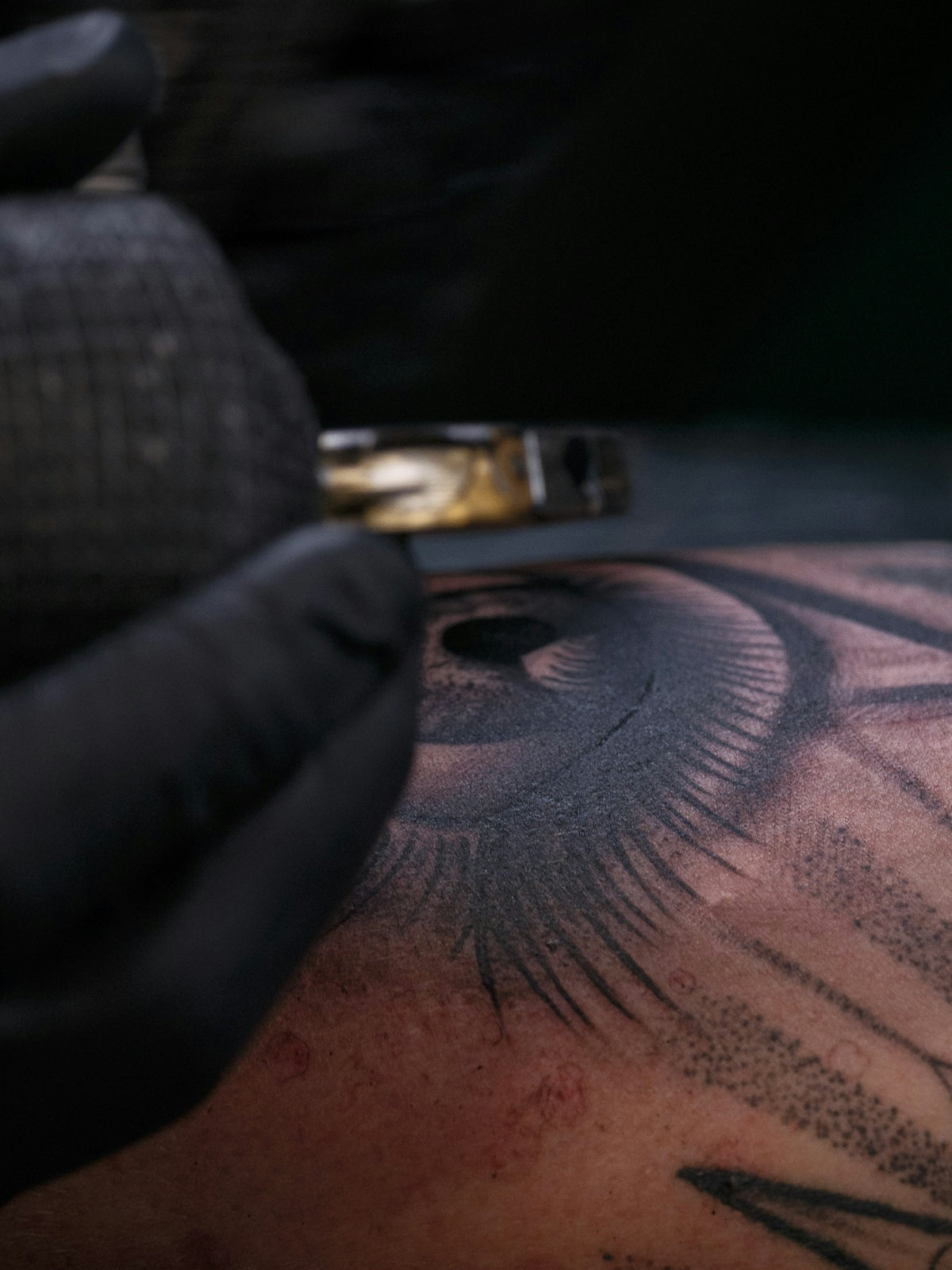
Creating stunning, life-like tattoos requires skill, artistry, and the right tools. Whether you're a budding digital artist or a seasoned tattoo professional, mastering realistic tattoo shading in Procreate can open new avenues for showcasing your creativity and precision. By leveraging Procreate tattoo brushes and expertly designed stencils, you can elevate your digital tattoo designs to new heights. If you're ready to take your art to the next level, start designing tattoos the right way with the 'PRO TATTOO KIT' from Tattoo Brushes today!
Table of Contents
- Table of Contents
- Why Choose Procreate for Digital Tattoo Design?
- Understanding Procreate Tattoo Brushes
- Getting Started with Must-Have Brushes
- The Key to Modern Tattoo Design
- The Role of Stencils in Tattoo Design
- Selecting the Best Tattoo Stencils in Procreate
- Techniques for Realistic Tattoo Shading in Procreate
- Step-by-Step Shading Guide
- Upgrade Your Art with Tattoo Artist Tools
- Encouragement to Explore More
- FAQs
Why Choose Procreate for Digital Tattoo Design?
Procreate has rapidly become a favorite among tattoo artists and digital designers due to its intuitive interface and powerful capabilities. It offers artists unprecedented control and flexibility, making it possible to experiment, refine, and perfect designs before they ever meet skin.
The key to maximizing Procreate's potential lies in the use of versatile tools like Procreate tattoo brushes and meticulously crafted stencils. These enhance the detailing of your designs, providing an authentic, realistic shading effect that mimics the look of traditional tattoo art.
Understanding Procreate Tattoo Brushes
Central to creating a realistic digital tattoo in Procreate is understanding the function and variety of Procreate tattoo brushes. These brushes simulate the nuances of tattoo needles in real life, offering a broad range of textures and techniques.
Getting Started with Must-Have Brushes
To begin your journey into digital tattoo design, familiarize yourself with the Must-Have Procreate Tattoo Brushes for Digital Artists. This article will guide you through essential brush types, helping you build a repertoire that enables varied shading, lining, and detailing techniques crucial for creating realistic tattoo impressions.
The Key to Modern Tattoo Design
Delving deeper, the topic Procreate Tattoo Brushes: Key to Modern Tattoo Design demystifies how the thoughtful application of these brushes supports modern trends in tattooing. Understanding these dynamics will empower you to create art that resonates with today's aesthetic preferences.
The Role of Stencils in Tattoo Design
Stencils are an invaluable tool for tattoo artists. In Procreate, stencils allow for a consistent transfer of designs, ensuring accuracy and precision. These digital blueprints aid in maintaining the integrity of your work across different mediums.
Selecting the Best Tattoo Stencils in Procreate
Identifying the best tattoo stencils Procreate enables artists to achieve precision and detail with ease. This guide offers insights into selecting stencils that complement your artistic process, providing a structured approach to design layout while enabling creative freedom.
Techniques for Realistic Tattoo Shading in Procreate
When it comes to creating life-like tattoos, realistic shading is a core component. Here's how you can apply Procreate tools to enhance your shading techniques:
Step-by-Step Shading Guide
- Brush Selection: Start with a soft shader brush. This allows for subtle gradations in tone.
- Layering: Use multiple layers to build up your shading. This non-destructive approach enables you to refine and adjust without affecting the entire design.
- Opacity and Pressure Sensitivity: Adjust brush opacity and employ Procreate's pressure sensitivity to mimic the depth and saturation of real ink shading.
- Blending Tools: Utilize the smudge and blend options to soften transitions and create seamless gradations in shadow and light.
- Refinement: Zoom in and meticulously fine-tune details with an eraser brush to accentuate edges and highlights, enhancing the three-dimensional effect of your work.
Upgrade Your Art with Tattoo Artist Tools
Investing in high-quality tools from professional kits like the 'PRO TATTOO KIT' guarantees an uptick in your artistry. These collections are tailored to meet the diverse needs of tattoo artists, providing everything from specialized brushes to intuitive stencils that make the workflow seamless and highly effective.
Encouragement to Explore More
With these tools at your disposal, you're equipped to push the boundaries of your artistic abilities and explore tattooing's digital frontier. Whether your goal is to refine existing skills or explore new styles, adopting the right tools will support you every step of the way.
Enhance your craft and explore Procreate tools that make you feel like a pro. The world of digital tattooing is vast and full of potential. Join fellow artists who are redefining the art form with precision and creativity.
By embracing innovations in digital tattoo design and using professional-grade Procreate brushes and stencils, you can achieve a level of artistry that is both contemporary and timeless. Visit Tattoo Brushes today to access tools that will revolutionize your tattooing journey, and watch as your digital creations come alive with detail and realism.
FAQs
What are the advantages of using Procreate stencils for tattoo shading?
Using Procreate stencils for tattoo shading allows artists to achieve precise line work and shading effects while saving time. The digital format offers flexibility, enabling you to easily modify designs without starting from scratch.
How can I create custom stencils for realistic tattoo shading in Procreate?
To create custom stencils in Procreate, start by sketching your design using the brush tools. You can then refine it and use the selection tools to create a stencil mask. Once you've finalized your design, you can export it as a PNG or PSD file for easy access in future projects.
What brushes work best for realistic tattoo shading in Procreate?
For realistic tattoo shading, it's advisable to use soft round brushes or brushes that mimic traditional tattoo techniques. Look for those that create smooth gradients and consider experimenting with texture brushes for added depth and realism.
How can I ensure consistent shading when using Procreate stencils?
To maintain consistent shading, focus on layering your colors gradually. Use different brush opacities and blend modes, and always zoom in to check details. Using the "Gaussian Blur" tool can also help soften edges for seamless transitions.
Is it possible to use Procreate stencils for different tattoo styles, or are they just for realism?
Procreate stencils can be adapted for various tattoo styles, including traditional, neo-traditional, and illustrative designs. You can modify the stencil shape and details to suit your desired outcome and artistic vision.
Can I use Procreate stencils on my iPad, and will they work with all models?
Yes, Procreate stencils work on any iPad that supports the Procreate app. However, a model compatible with the Apple Pencil is preferred, as the pressure sensitivity enhances your shading and line quality.
What are some tips for mastering shading techniques in Procreate?
Practice is key! Focus on understanding light and shadow to create depth. Use reference images to guide your shading and experiment with different layer modes. Also, don’t hesitate to learn from online tutorials for advanced techniques.
Can I print my Procreate stencil designs for tattoo applications?
Absolutely! Once you've created your stencil design in Procreate, you can print it on tattoo transfer paper to use for skin applications. Ensure your design is high-resolution to maintain quality when printed.
How can I integrate traditional tattoo techniques with digital tools in Procreate?
Combining traditional tattoo techniques with digital tools in Procreate involves studying classic methods and applying them digitally. Use brushes that replicate traditional styles, and incorporate techniques like stippling or cross-hatching for realistic effects.

Leave a comment
This site is protected by hCaptcha and the hCaptcha Privacy Policy and Terms of Service apply.