
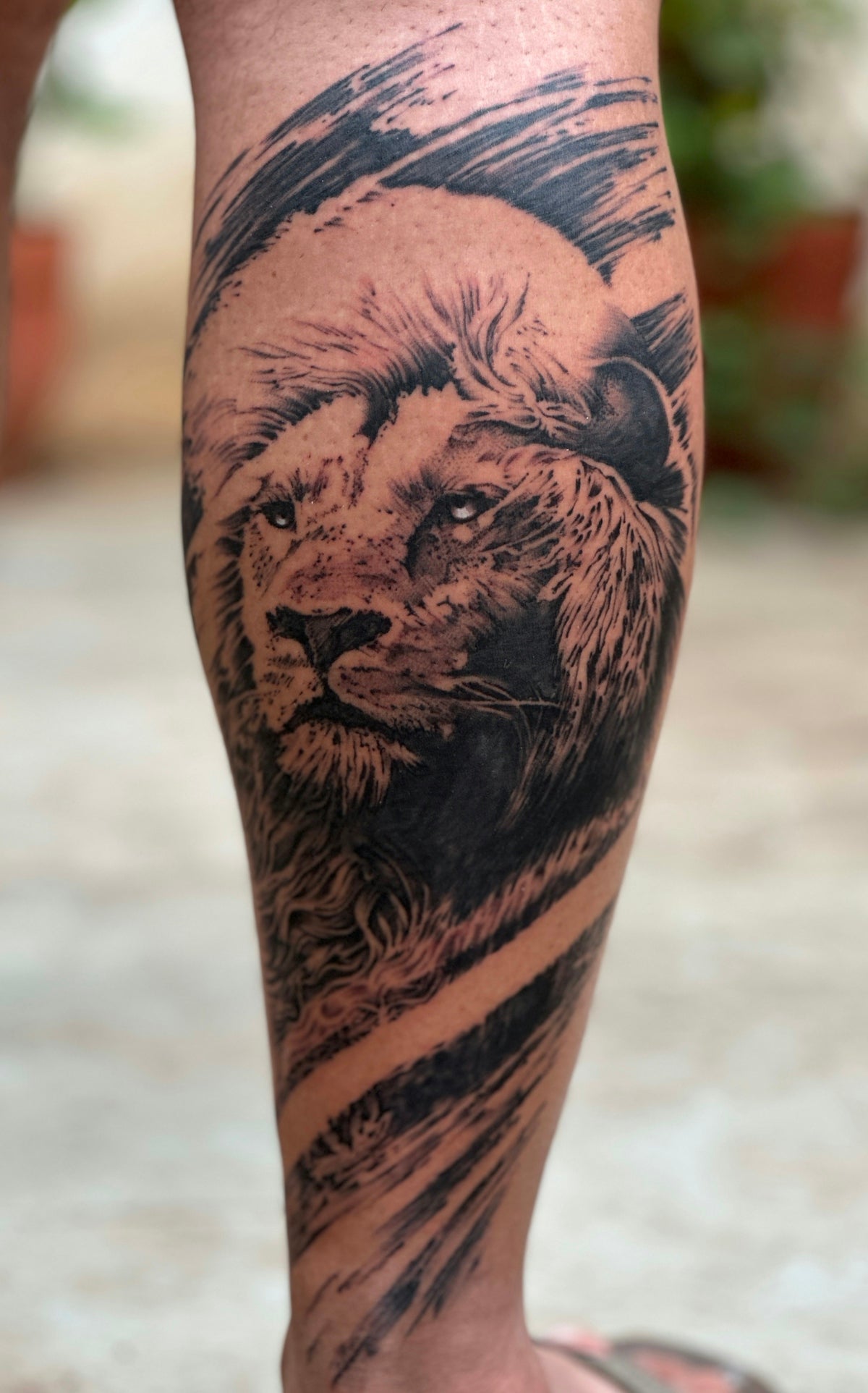
Ink has the power to transform bodies and tell stories, and as a digital artist, your canvas is limitless. With the popularity of digital tattoo design on the rise, utilizing the right Procreate tattoo brushes can make a world of difference. Interested in elevating your artwork from merely good to outstanding? Explore Procreate tools that make you feel like a pro.
Table of Contents
- Table of Contents
- The Digital Revolution in Tattoo Art
- Why Use Procreate for Tattoo Design?
- Essential Procreate Tattoo Brushes
- Best Tattoo Stencils in Procreate
- Realistic Tattoo Shading with Procreate
- Tattoo Artist Tools: The PRO TATTOO KIT
- Conclusion: Make Your Mark in the Digital Tattoo Space
- FAQs
The Digital Revolution in Tattoo Art
Gone are the days when tattoo designs were solely drafted by hand. Today, many tattoo artists are adeptly using Procreate, a game-changing application for iPad that offers an array of brushes, textures, and design tools. This post delves deep into the essential Procreate tattoo brushes every professional digital artist should have. Whether you’re just starting or have years of experience, these tools are your key to creating flawless, professional designs.
Why Use Procreate for Tattoo Design?
Procreate is favored by many for its intuitive interface and comprehensive suite of art tools. Designed to maximize creativity, it allows tattoo artists to easily visualize and iterate on their concepts. However, the real magic lies in the selection of brushes—especially those tailored for tattoo art.
Essential Procreate Tattoo Brushes
1. Linework Brushes
When it comes to tattoo design, mastering clean, precise linework forms the foundation of your art. Linework brushes in Procreate replicate the reliable quality of traditional tattoo machines, providing smooth, consistent lines that don't waver or break. They allow for authentic representation of solid outlines that are central to tattoo artistry.
2. Shading Brushes
Adding depth and dimension to your designs is one of the transformative qualities of tattoo art. Procreate’s shading brushes allow artists to recreate the effect of a coil machine on skin with impressive realism. The Top Procreate Tattoo Brushes for Realistic Shading Art guide further explores brushes optimized for this purpose.
3. Stippling Brushes
Stippling is a classic tattoo technique that involves creating gradients and shading with tiny dots. Procreate stippling brushes are essential for artists looking to incorporate pointillism into their digital tattoo designs, allowing for detailed textures and gradients with ease.
4. Texture Brushes
The right texture brushes can enable artists to simulate the nuances of skin, fabric, or other contextual elements within a design. These brushes help create intricate, visually rich compositions that push your artwork to new levels of realism.
Best Tattoo Stencils in Procreate
Stencils are crucial in laying down the groundwork for any tattoo. Procreate simplifies the stencil-making process with precision tools that enable easy revisions and adjustments. Developing stencils digitally ensures the consistency of your designs.
A sound stencil sets the stage for your linework and shading. It is an artist’s roadmap, and selecting the best stencil techniques will significantly upgrade your designs. For more insights on optimizing your tools, check out our article on Recommended Tattoo Artist Tools for Best Procreate Designs.
Realistic Tattoo Shading with Procreate
Shading is a critical aspect of tattoo artistry. With Procreate, you can experiment with lighting and shadows to create lifelike graphics that mimic the depth and detail of ink on skin. The application offers several shading brushes that provide the subtlety or boldness needed, making your designs stand out. Those aiming to master the art of shading can find helpful techniques in our article on Efficient Techniques for Realistic Shading Procreate Tattoos.
Tattoo Artist Tools: The PRO TATTOO KIT
While Procreate brushes are pivotal, professional-grade tools cannot be overlooked. The PRO TATTOO KIT available at TattooBrushes.com is crafted with the needs of tattoo artists in mind. It equips practitioners with a complete set of high-quality brushes engineered for both newcomers and adept artists desiring consistency and precision in their tattoos.
Conclusion: Make Your Mark in the Digital Tattoo Space
The tools you choose play an essential role in the quality and execution of your tattoo designs. By integrating top-tier Procreate tools, including the acclaimed PRO TATTOO KIT, you empower yourself to craft compelling, professional-grade tattoos that speak volumes.
Ready to take a leap in your artistic journey? Start designing tattoos the right way, and see the difference quality tools can make.
Tattoos are an expression of individuality and mastery. Elevate your art today; explore the extensive Procreate tattoo solutions at TattooBrushes.com that could redefine your craft.
FAQs
What are Procreate tattoo brushes?
Procreate tattoo brushes are specially designed digital brushes used within the Procreate app for creating tattoo designs. They mimic real-world tattooing techniques and styles, providing artists with the tools needed to produce intricate and professional-quality artwork.
How do I install tattoo brushes in Procreate?
To install tattoo brushes, simply download the brush file onto your iPad. Open Procreate, go to the Brush Library, tap the "+" icon in the top right corner, and import the downloaded brush files. They will then appear in your Brush Library for use.
Can I create my own tattoo brushes in Procreate?
Yes! Procreate allows users to create custom brushes tailored to their specific needs. You can modify existing brushes or create entirely new ones by adjusting settings such as shape, grain, and opacity to develop a unique brush that reflects your style.
What are the benefits of using Procreate for tattoo designs?
Using Procreate for tattoo designs offers several benefits, including the ability to easily edit and refine artwork, the option to work with layers for better organization, and a wide variety of brushes to choose from. It also allows for quick color adjustments and re-scaling without loss of quality.
Are Procreate tattoo brushes compatible with other software?
Procreate tattoo brushes are specifically designed for use within the Procreate app and may not be compatible with other design software. However, many digital artists use similar techniques across different platforms, so it’s worth researching equivalent brushes for other applications.
What types of tattoo styles can I create with Procreate brushes?
Procreate offers a vast range of brushes that cater to different tattoo styles, including traditional, neo-traditional, blackwork, watercolor, and illustrative designs. With the right brushes, you can achieve precise detail and texture that mimics various tattoo techniques.
Do I need an Apple Pencil to use Procreate effectively?
While you can use your finger to draw in Procreate, an Apple Pencil is highly recommended for a more professional and precise drawing experience. The pressure sensitivity and tilt function of the Apple Pencil allow for greater control and detail in your tattoo designs.
How do I choose the right tattoo brushes for my designs?
When choosing tattoo brushes, consider the style and effect you want to achieve. Look for brushes that replicate the textures and outlines of traditional tattooing and select those that allow for a variety of line weights and shading techniques to enhance your artwork.
Can I use Procreate for tattoo stencil creation?
Absolutely! Procreate is ideal for creating tattoo stencils as you can easily refine designs and convert them into a black-and-white format. Additionally, you can export your designs in various file formats for printing or direct use as stencils.

Leave a comment
This site is protected by hCaptcha and the hCaptcha Privacy Policy and Terms of Service apply.