
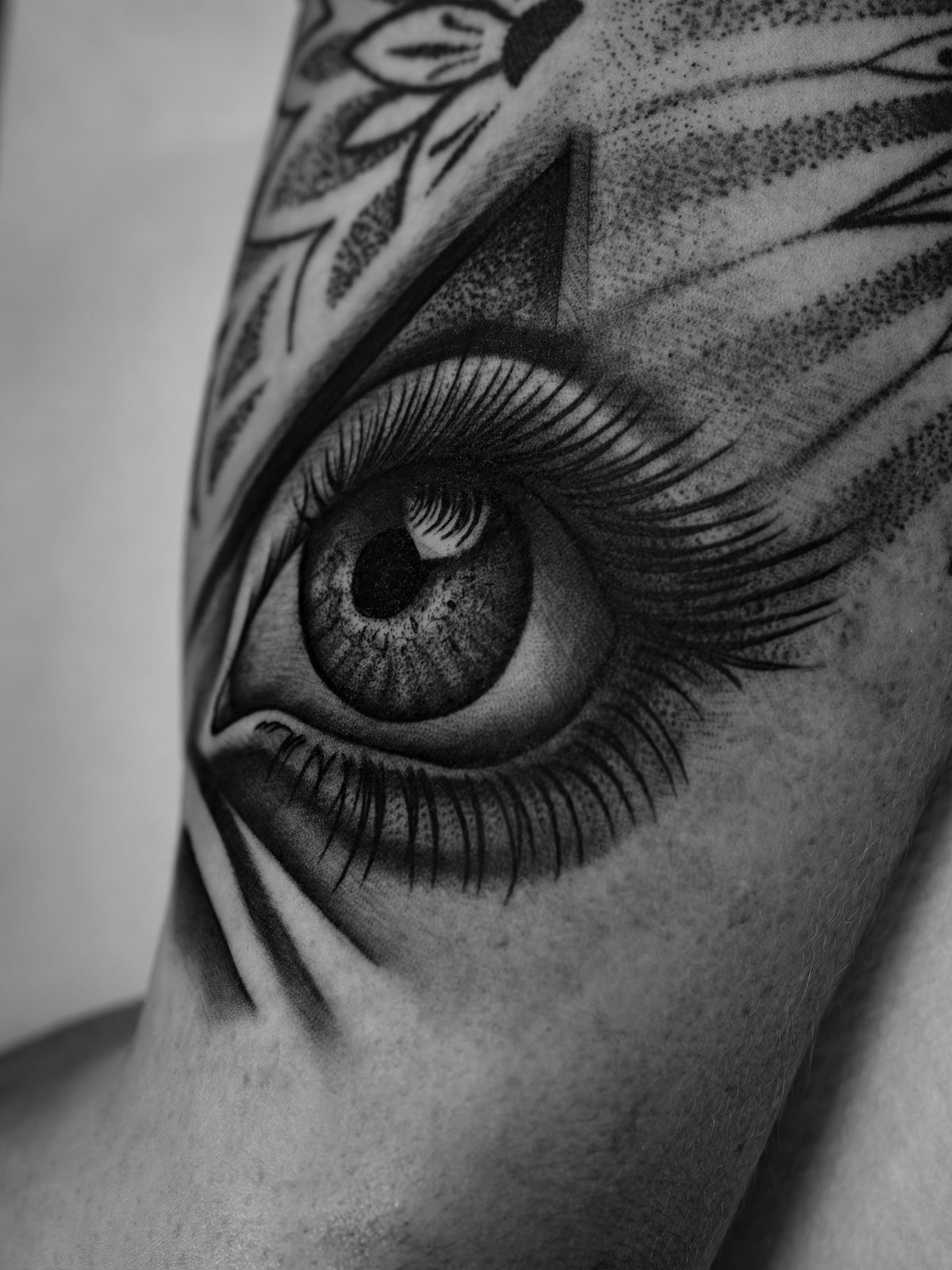
In the flourishing world of digital tattoo design, staying ahead of the curve is crucial for both novice and veteran tattoo artists. Whether you're striving to bring your art to life or refine your techniques, integrating the right tools can be a game-changer. With our expertly curated Procreate tattoo brushes, you can start designing tattoos the right way and elevate your creative process to a professional standard. Explore Procreate tools that make you feel like a pro at TattooBrushes.com.
Table of Contents
- Table of Contents
- Creating Detailed Digital Tattoo Designs
- Choose the Right Brushes:
- Layering Techniques:
- Understanding Pressure Sensitivity:
- Mastering Realistic Tattoo Shading in Procreate
- Best Tattoo Stencils in Procreate
- Sketch Your Design:
- Refine the Lines:
- Finalizing the Stencil:
- The Versatility of Procreate Tattoo Brushes
- Upgrade Your Tattoo Artist Tools Today
- FAQs
Procreate Tattoo Brushes: An Artist’s Secret Weapon
Digital tattoo design opens a perennial portal of creativity that melds traditional art with contemporary technology—Procreate stands at the forefront of this innovation. For tattoo artists, having access to a rich arsenal of Procreate tattoo brushes can transform a simple design into a masterpiece. But where does one begin when the landscape is so vast?
First, understanding the fundamental use of these brushes is essential. Procreate tattoo brushes aid artists in creating detailed designs with precision, speed, and flexibility. They mimic the feel of analog tattoo equipment, enhancing the art-making process.
For those who are new to Procreate, our blog article "Essential Procreate Tattoo Brushes for Stunning Design" serves as an excellent resource to get started with foundational tools. From line art to shading, these brushes offer a tactile experience that's just as dynamic as traditional methods.
Creating Detailed Digital Tattoo Designs
Choose the Right Brushes:
Start by selecting brushes that suit your style and the nature of your project. For fine lines, opt for brushes that provide sharpness and precision. When working on intricate patterns or mandalas, flexible curve brushes offer unparalleled control.
Layering Techniques:
Just like traditional tattooing, layering is crucial. Use layers to manage and organize different aspects of your design—from outlines to shading and detail work. This approach offers you more control over your final result.
Understanding Pressure Sensitivity:
- Procreate utilizes the pressure sensitivity of your stylus. This feature is essential for replicating the sensitivity of hand pressure you use in actual tattooing, resulting in lifelike designs with realistic tattoo shading in Procreate.
The blog post "Create Perfect Stencils with Procreate Tattoo Brushes" offers an invaluable guide to crafting stencils, which remain instrumental in laying the groundwork for every successful design.
Mastering Realistic Tattoo Shading in Procreate
Achieving depth and realism in your tattoo designs hinges on proficient shading techniques. The ‘PRO TATTOO KIT’ from TattooBrushes.com excels in delivering premium-quality brushes, particularly for shading, allowing for seamless gradients and tonal variance. Here’s how you can mimic realistic shading using these tools:
- Soft Shader Brush: For smooth gradients that replicate skin's gentle tone transition.
- Dark Tone Brush: Perfect for adding contrast and depth to more intense areas, achieving a three-dimensional effect.
Prioritizing practice with these brushes in Procreate helps in refining your shading techniques, ensuring that each tattoo design achieves a life-like, professional quality.
Best Tattoo Stencils in Procreate
Perfecting stencils is foundational in illustrating tattoo designs. The PRO TATTOO KIT includes top-tier tools to create crisp and clear stencils that accurately translate onto skin. Here’s a quick breakdown of the steps to create stencils in Procreate:
Sketch Your Design:
Begin with a rough sketch using lightly textured pencil brushes to draft your concept. This sketch acts as your blueprint.
Refine the Lines:
Use fine liner brushes for the outlines, ensuring each line is bold and visible. The clarity of these lines is crucial for a successful stencil.
Finalizing the Stencil:
- Use the stencil brushes to finalize your design, paying attention to any intricate details that need definition.
For an in-depth look at making flawless stencils, ensure to read "Create Perfect Stencils with Procreate Tattoo Brushes".
The Versatility of Procreate Tattoo Brushes
The range of Procreate tattoo brushes caters to various tattoo styles—from traditional to illustrative and beyond. Experimenting with different brush types fosters creative versatility, enabling artists to enhance their unique signature in digital form.
For instance:
- Dotwork Brushes accentuate pointillism techniques, which are highly popular in modern tattoo art.
- Watercolor Brushes replicate the fluidity and transparency of watercolor ink, ideal for a soft, blended aesthetic.
Our blog, "How Procreate Tattoo Brushes Revolutionize Digital Designs", unravels how these brushes have dramatically evolved the scope of tattoo artistry.
Upgrade Your Tattoo Artist Tools Today
Whether you're perfecting your style or experimenting with new ones, the tools you use extensively affect your progress and results. The PRO TATTOO KIT at TattooBrushes.com equips you with cutting-edge tools every professional and aspiring tattoo artist needs. Start upgrading your art today with tools designed specifically for those who wish to enhance their tattoo creations.
Remember, the road to artistic excellence is paved with the right tools and continuous learning. With high-quality Procreate tattoo brushes, your journey in the digital tattoo design world is bound to be as dynamic as the art you create.
FAQs
What are Procreate tattoo brushes?Procreate tattoo brushes are specially designed digital brushes that emulate the look and feel of traditional tattooing techniques, allowing artists to create realistic designs directly on their iPad using the Procreate app.
How do I install Procreate tattoo brushes?To install Procreate tattoo brushes, download the brush file to your iPad, open Procreate, tap on the "+" icon in the Brushes menu, and then select "Import" to locate and add the downloaded brush.
Can I customize Procreate tattoo brushes?Yes, Procreate allows users to customize brushes significantly. You can adjust settings such as size, opacity, texture, and more to create a unique tool that fits your specific style as a tattoo artist.
What are the benefits of using digital tattoo brushes?Digital tattoo brushes offer versatility and convenience, allowing artists to experiment with designs without the pain of traditional tattooing. They also enable easy adjustments to color and size, enhancing the creative process.
Are there specific brushes for line work and shading?Yes, many Procreate tattoo brush sets include specific brushes designed for line work and shading. These brushes have distinct characteristics suited for the various techniques used in tattoo artistry.
Do I need an Apple Pencil to use Procreate tattoo brushes effectively?While you can use your finger to draw in Procreate, using an Apple Pencil significantly enhances the experience, providing pressure sensitivity and better control for fine details, making it ideal for tattoo work.
Can I use Procreate tattoo brushes for other art styles?Absolutely! Many artists use Procreate tattoo brushes for various styles, including illustration, graphic design, and painterly effects, making them versatile tools for any digital artist.
How do I choose the right tattoo brush for my style?Consider your tattooing style and preferences. If you prefer bold outlines and precise details, look for brushes designed for line work. For softer effects, focus on brushes that offer texture and blending capabilities.
Is it possible to create my own tattoo brushes in Procreate?Yes, Procreate allows you to create your own custom brushes. You can adjust existing brushes or start from scratch, giving you full control over the design and functionality to fit your unique artistic needs.

Leave a comment
This site is protected by hCaptcha and the hCaptcha Privacy Policy and Terms of Service apply.