
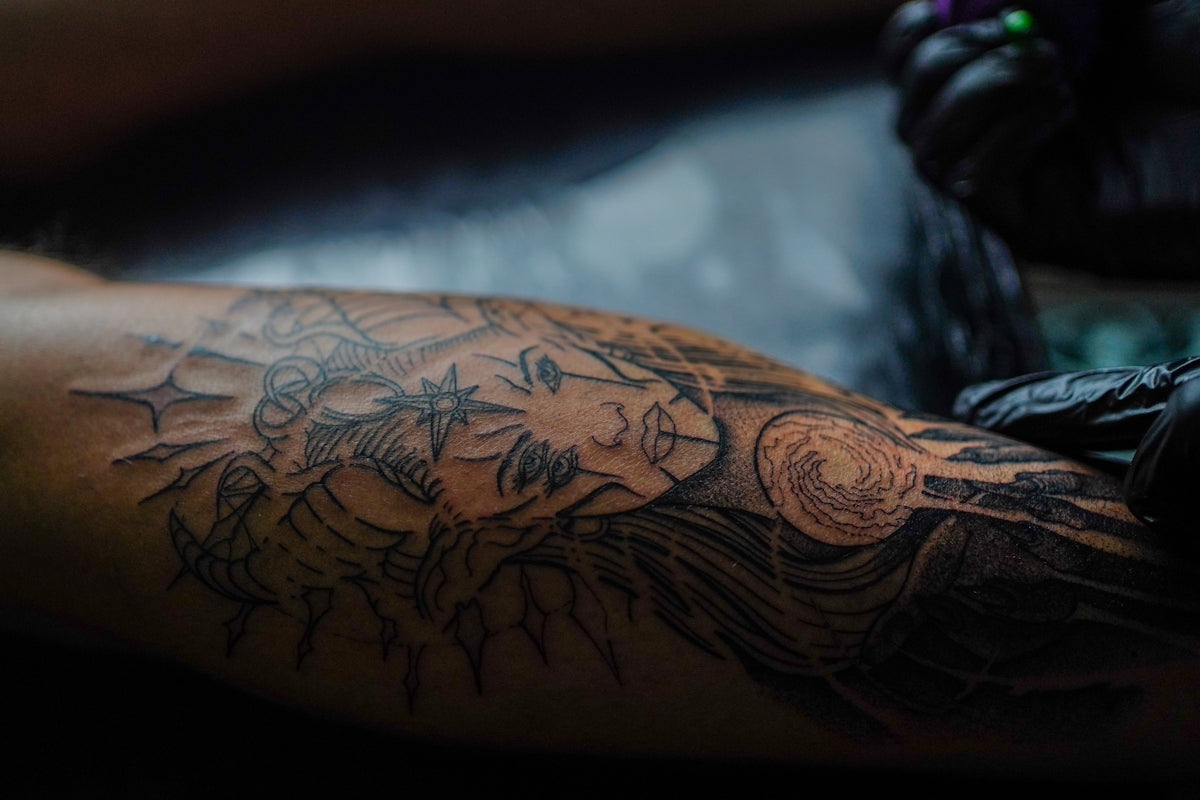
Are you ready to take your tattoo design skills to the next level? If you're an aspiring artist eager to dive into the world of digital tattoo design or a seasoned professional looking to refine your craft, this guide is your essential companion. We'll explore the tools and techniques that bridge traditional tattoo artistry with the digital world, while highlighting the unbeatable quality of the PRO TATTOO KIT. Start designing tattoos the right way and watch your creativity soar.
Table of Contents
- Table of Contents
- Understanding Procreate Tattoo Brushes
- Why Choose Procreate?
- The Role of Procreate Tattoo Brushes
- Best Practices for Using Procreate Tattoo Brushes
- Mastering Digital Tattoo Design with Procreate Stencils
- How to Create and Use Stencils in Procreate
- Realistic Tattoo Shading in Procreate
- Tips for Realistic Shading
- Encourage Creativity with the Best Tools
- FAQs
Understanding Procreate Tattoo Brushes
Procreate, Apple's flagship drawing app, has revolutionized the process of creating digital art. With its robust library of customizable brushes, it's become a favorite among tattoo artists who want to translate their skills to a digital platform. But what exactly makes Procreate tattoo brushes unique, and how can you make the most of them?
Why Choose Procreate?
Procreate is known for its intuitive interface, making it accessible for beginners while packing advanced features that professionals love. It allows artists to sketch, paint, and create complex designs with stunning precision. When it comes to tattoo artistry, Procreate's ability to mimic various tattoo styles is unmatched.
To delve deeper into how to get the most out of Procreate tools, read our detailed analysis here: How to Master Digital Tattoo Design with Procreate Tools.
The Role of Procreate Tattoo Brushes
Procreate tattoo brushes mimic the feel of traditional tattoo equipment, allowing you to simulate the texture, depth, and detail that you would achieve with real tattoo needles. From creating bold outlines to subtle gradients, these brushes can emulate any tattoo style you envision.
Best Practices for Using Procreate Tattoo Brushes
- Selection and Customization: Start with a reliable set of brushes like those in the PRO TATTOO KIT. These are specifically designed to provide the precision and versatility needed for any tattoo design.
- Layer Management: Use layers to separate different elements of your design. This allows you to make adjustments easily without compromising the entire piece.
- Experiment with Opacity and Size: Adjusting the opacity and size can drastically change the impact of your strokes, enabling you to add depth and realism to your work.
- Incorporate Textures: Texture adds another layer of realism to your designs. Whether you’re going for a rough, gritty look or something smooth and polished, texture can make a visual difference.
Explore other expert recommendations on achieving flawless shading using Procreate tattoo brushes at: Achieve Flawless Shading: Best Procreate Tattoo Brushes.
Mastering Digital Tattoo Design with Procreate Stencils
Creating stencils is a critical skill in tattoo design, both on skin and digitally. Stencils help artists ensure precision and consistency across their designs, acting as a guide while working on complex and detailed tattoos.
How to Create and Use Stencils in Procreate
- Choose or Create Your Base: Start with a clean, high-contrast image. This could be one of your own designs or a reference from which you'll draw inspiration.
- Outline the Design: Using a consistent brush, outline your stencil. The outline should be clear and bold enough to use as a guide without dominating the final design.
- Use Stencil on Layer: Place your stencil on a separate layer. This allows you to toggle the visibility on and off as you work on other aspects of the design.
- Precision Practice: Practice using stencils with simpler designs first to get a feel for how they guide your hand, then gradually move to more intricate designs.
Harness the full potential of digital stencils with tools specifically designed to elevate your craft. Unlock the power of Procreate tattoo brushes and stencils in design today: Unlock the Power of Procreate Tattoo Brushes in Design.
Realistic Tattoo Shading in Procreate
Shading adds depth and realism to your tattoo designs. In the digital realm, achieving realistic tattoo shading can be challenging, but with the right approach, it becomes a straightforward part of your process.
Tips for Realistic Shading
- Start with the Right Brushes: Utilize the blending and shading brushes from a high-quality toolset like the PRO TATTOO KIT. These brushes help create smooth transitions and gradients.
- Understand Light and Shadow: Consider the light source in your design and highlight the areas that would naturally catch the most light. Shadows should accent the contours of your design.
- Layer and Blend: Use multiple layers for shading different elements. Blend subtly between layers to maintain a cohesive look.
- Test Different Techniques: Experiment with different techniques, such as dot work shading, to find a style that suits your artistic goals and the tattoo's design.
Explore these techniques further by looking at our in-depth guidance on achieving flawless shading using the best Procreate brushes.
Encourage Creativity with the Best Tools
In the dynamic field of tattoo art, staying updated with the latest digital tools and techniques is crucial for any artist looking to ‘Upgrade their Art.’ Beyond personal development, integrating superior quality tools can significantly enhance your creative process. The PRO TATTOO KIT, with its professional-grade tools, is designed specifically to help you excel in the art of tattoo design. Explore Procreate tools that make you feel like a pro and create designs that truly represent your vision.
Whether you're adapting traditional skills to the digital world or seeking to optimize your professional workflow, these high-standard tools will support your journey. Begin by exploring TattooBrushes.com to access the resources that will elevate your skills to professional levels.
Embrace the opportunity to innovate, create, and redefine what's possible in digital tattooing using Procreate. Upgrade your art under the guidance of unmatched expertise and tools at TattooBrushes.com.
FAQs
What are Procreate tattoo brushes?
Procreate tattoo brushes are specially designed digital brushes that mimic the look and feel of traditional tattooing techniques. They offer artists a variety of textures and styles to create designs directly within the Procreate app on an iPad.
How do I install Procreate tattoo brushes?
To install Procreate tattoo brushes, first, download the brush file from a trusted source. Then, open the Procreate app, go to the Brush Library, tap the "+" icon, and select "Import" to add your new brushes. They should now appear in your library for use.
Can I create my own tattoo brushes in Procreate?
Yes! Procreate allows users to create custom brushes. You can modify existing brushes or start from scratch, adjusting settings like shape, grain, and dynamics to fit your unique artistic style.
What are stencils in the context of Procreate for tattooing?
Stencils in Procreate are digital templates that help artists outline and shape their tattoo designs. They are useful for ensuring accuracy and precision before finalizing a tattoo, making the design process smoother.
Are there specific brushes for different tattoo styles in Procreate?
Absolutely! Many tattoo brush sets are tailored for specific styles such as watercolor, realism, traditional, or neo-traditional. These brushes help artists achieve the effects that are characteristic of various tattooing techniques.
Can I use Procreate brushes for purposes other than tattoo design?
Yes! While Procreate tattoo brushes are optimized for creating tattoo designs, they can also be used for general illustration purposes. The unique textures can add depth and character to a variety of digital artwork.
Are there free Procreate tattoo brushes available?
Yes, many artists and designers offer free Procreate tattoo brushes. These can be a great way to explore different styles and techniques without a financial commitment. Always verify the source to ensure quality.
What should I look for when choosing Procreate tattoo brushes?
When selecting Procreate tattoo brushes, consider factors like the brush type, texture, and compatibility with your artistic style. It's also important to read reviews and look for brushes that come with user-friendly tutorials or guides.
Can I use Procreate brushes on other apps?
Procreate brushes are specifically designed for the Procreate app and are not compatible with other digital art applications. If you're using different software, look for brushes created for that specific platform.

Leave a comment
This site is protected by hCaptcha and the hCaptcha Privacy Policy and Terms of Service apply.